What Is Conversational Intelligence (And Why It Matters More Than Ever)

.webp)


You're 20 minutes into a customer call when the prospect mentions they evaluated your competitor last quarter and walked away due to a pricing concern. The thing is, your team already addressed the same pricing concern three calls ago with a different stakeholder, but you don't have that context in front of you.
The information exists somewhere: in a recording nobody reviewed, in notes that were never shared, or in the memory of someone who left the company two months ago. This kind of knowledge, the implicit intelligence that lives inside conversations but never gets documented, is one of the most valuable and most neglected assets an organization has.
Conversational intelligence is built to solve this. It captures what people say in meetings and turns it into structured, searchable, actionable knowledge, so the intelligence inside a conversation doesn't disappear the moment the call ends.
This article covers what conversational intelligence is, how AI enables it, how it works in practice, who benefits most, and what to look for when evaluating a platform.
The Short on Time Version
- Conversational intelligence captures the knowledge that disappears after meetings and turns it into structured, searchable, actionable records.
- Four AI layers make it possible: speech recognition, speaker identification, natural language processing, and AI-generated summaries work as a pipeline, with each layer building on the last.
- Sales teams, executives, distributed teams, and educators all benefit by spending less time reconstructing what happened in meetings and more time acting on it.
- When evaluating a conversational intelligence platform, prioritize real-world transcription accuracy, AI analysis depth, integration with your existing workflows, and enterprise-grade security and compliance.
What Is Conversational Intelligence?
Conversational intelligence is the practice of capturing spoken conversations, structuring them into conversation records, and turning them into outputs people can act on: summaries, decisions, action items, coaching signals, and searchable knowledge that compounds across every meeting an organization has.
It goes beyond recording or transcribing. Conversational intelligence interprets what was said, identifies who said it, extracts what matters, and connects it to the tools and workflows where work actually happens. The category is defined by that shift, from raw conversation to usable guidance.
Why Conversational Intelligence Matters Now
As teams work across time zones, as meeting volume increases, and as employees leave companies, the gap between what organizations know and what they can actually find and use keeps widening.
Every organization operates with two types of knowledge:
- Explicit knowledge: documented and lives in CRMs, wikis, project plans, and shared drives. It's structured, searchable, and survives employee turnover.
- Implicit knowledge: not recorded and lives in people's heads and in the conversations they have.
Implicit knowledge includes things like a client preference mentioned on a call, a strategic commitment made during a planning session, or a competitive insight surfaced during a demo. But this type of knowledge often disappears when someone leaves, when a meeting ends without notes, or when the only record is a recording nobody has time to review.
In the past, the only way to convert implicit knowledge into explicit knowledge was manual effort: someone taking notes, someone remembering to update the CRM, someone writing a recap email.
Today, conversational intelligence closes the gap between implicit and explicit knowledge by turning every conversation into a structured, searchable record, automatically and at scale.
How AI Makes Conversational Intelligence Possible
AI turns a conversation into something usable through a series of steps, each one adding more structure and meaning. Here are the four core technology layers that power modern conversational intelligence:
1. Speech Recognition
Speech recognition turns spoken audio into text. If the transcript isn’t accurate, neither are the summaries, action items, or CRM updates that follow.
2. Speaker Identification
Speaker recognition answers "who spoke when?" by segmenting audio and attributing each segment to a distinct speaker. Without accurate speaker attribution, meeting notes and summaries lose critical context about who said what.
3. Natural Language Processing
Natural Language Processing (NLP) takes the attributed transcript and extracts meaning: topics discussed, intent, sentiment, named entities (people, dates, dollar amounts), and the distinction between tentative suggestions and firm decisions. NLP helps interpret context so downstream outputs reflect the meaning of the discussion, not just the literal words spoken.
4. AI-generated Summaries and Action Items
Large language models (LLMs) read the fully attributed, NLP-enriched transcript and generate structured output: meeting summaries, action items with owners and due dates, and identified risks. These models can help distinguish an implicit commitment from a casual mention, or a deferred decision from a current one.
How Conversational Intelligence Works in Practice
The value of conversational intelligence unfolds across three phases, and each meeting builds on the intelligence captured in every previous one.
1. Before the Meeting: Surfacing Context From Past Conversations
Before a meeting starts, conversational intelligence surfaces relevant context from prior conversations.
An account executive joining a follow-up call can review automated highlights from previous interactions, including objections raised, competitors mentioned, and pricing discussed, without having to scrub through recordings. A manager heading into a coaching session can review a rep's recent call patterns via platform analytics rather than listening to live calls.
2. During The Meeting: Capturing Intelligence In Real Time
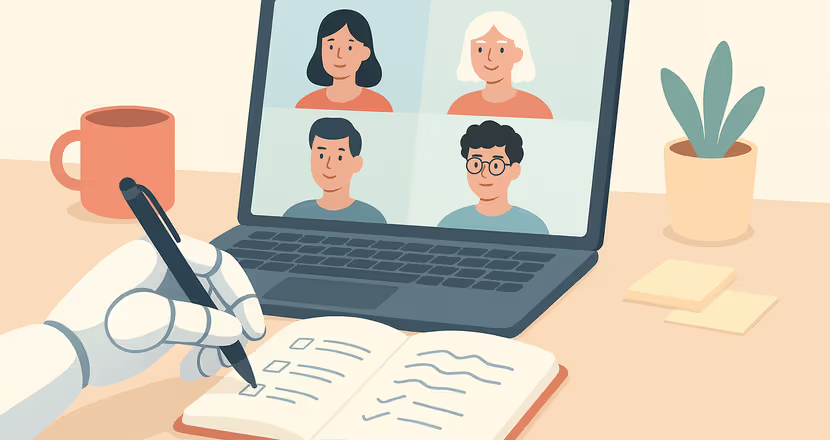
During a meeting, conversational intelligence handles the recording, transcription, and real-time structuring so participants can focus on the conversation itself.
For sales calls, for example, some platforms can provide live prompts around follow-up questions, next steps, or objection handling in the moment. Otter can be set up to automatically join Zoom, Microsoft Teams, and Google Meet calls, capturing what's said with speaker attribution.
To see what this looks like in practice: Asset Panda, a fast-growing SaaS company, had sales reps running up to 10 demos a day across a sales cycle ranging from same-day to 18 months. Reps were spending too much time after each call documenting conversations and preparing follow-ups, time that should have gone toward selling.
After adopting Otter, automated call notes, conversation summaries, and AI-generated sales insights replaced the manual process. The team used Otter AI Chat to draft follow-up emails and proposals directly from transcripts. With over 1,000 calls captured, reps reclaimed hours of documentation time, leadership gained real-time pipeline visibility, and each person effectively handled the output of one and a half people.
3. After The Meeting: Turning Conversations Into Structured Action
After the meeting ends, conversational intelligence automatically turns a conversation into structured, usable output.
The platform generates a summary that captures decisions, key discussion points, and outcomes, then extracts action items with owners and due dates so nothing falls through the cracks. These action items can be tracked in a centralized dashboard across every meeting, giving individuals and managers a single view of what's been committed to and what's outstanding.
Because every meeting is transcribed, attributed, and stored, the platform also builds a searchable organizational memory over time. A team member can use something like Otter AI Chat to query months of conversation history, ask something like "what did the customer say about the implementation timeline in October?" and get the answer with the timestamp and speaker, without having to remember which meeting it came from.
The final layer is integration. Conversational intelligence platforms push structured meeting outputs into the tools where work actually happens, including CRMs, project management tools, messaging platforms, and collaboration hubs, so the follow-up can begin while the conversation is still fresh.
Who Uses Conversational Intelligence
The use cases vary, but the underlying need stems from a consistent pattern: teams spend hours reconstructing, redistributing, or rediscovering information that already existed in a conversation.
1. Sales Teams
Sales reps spend 60% of their time on non-selling tasks. CRM entry, follow-up emails, and internal deal updates after every call consume hours that could be spent with prospects. CRM fields go stale because manual entry is the only input, and reps deprioritize them under quota pressure.
Conversational intelligence platforms address this by extracting insights from calls, including buying signals using frameworks like BANT and MEDDIC, and auto-pushing them to CRM systems. Follow-up emails can be automatically drafted from transcript data, and the CRM is updated before the rep moves on to the next deal, eliminating the manual-entry bottleneck.
2. Leaders and Executives
For executives, the problem is staying informed without being in every meeting. Decisions made in a Monday planning session get reinterpreted by Wednesday. Customer intelligence surfaced on sales calls never reaches the people who need to act on it.
Cross-meeting search solves this directly. Otter AI Chat, for example, lets leaders query across their full meeting library conversationally, asking questions that span thousands of past conversations. Conversations can be grouped by team, project, or topic, and the organizational record stays structured as it grows, and cross-meeting intelligence compounds with every conversation captured.
3. Distributed Teams
When a team member misses a meeting, whether due to time zone differences, scheduling conflicts, or simply being double-booked, the catch-up options without conversational intelligence are limited: ask a colleague for their version, skim a recording that nobody has time to listen to, or proceed without the context.
A conversational intelligence platform provides a structured catch-up path: an automated summary, a searchable transcript with speaker attribution, and action items already assigned. The gap between who was in the room and who wasn't shrinks to almost nothing.
4. Educators
Educators benefit similarly. Conversational intelligence platforms can provide lecture notes and searchable transcripts, making lecture content accessible and reviewable long after the session ends.
How to Choose the Right Conversational Intelligence Platform
Not every tool that records meetings qualifies as a conversational intelligence platform. Here's what to evaluate when comparing options:
- Test transcription accuracy in your real-world conditions. Run your own recordings, with your accents, your terminology, and your background noise, through any platform you're evaluating. Look for platforms that support custom vocabulary so industry-specific terms are captured correctly from day one.
- Check whether the AI actually replaces manual work or just relocates it. Ask to see how the platform handles decisions, action items with owners, and coaching signals. Does it populate specific CRM fields from conversation data, or does it just log a transcript link that someone still has to read and act on manually?
- Map the integrations to the tools your team actually uses. Walk through whether the platform writes to specific CRM fields, pushes summaries to your messaging and collaboration tools, and syncs action items to your project management systems. If your team uses external AI tools, check whether the platform offers API access or an MCP server that lets those tools query meeting data directly.
- Verify that security and compliance meet your organization's requirements before you pilot. Confirm SOC 2 Type II certification, SSO and SCIM provisioning, data retention policies, and whether customer conversation data is used to train AI models.
Build Intelligence Around Every Conversation
Your team is already having the conversations. The question is whether the intelligence inside them compounds into an organizational asset, or disappears the moment the call ends.
Conversational intelligence turns meetings into searchable, actionable conversation records, with an AI that can automatically update your CRM, generate follow-ups, and serve as your system of record for what was said and decided.
Otter is built to do exactly this: capture every meeting, turn it into summaries and action items, and connect that intelligence to the tools your team already uses, including Salesforce, HubSpot, Slack, and Jira.
Get a demo to see how it works for your team, or try it free.
Related posts