How to Create a Corporate AI Policy for Your Organization

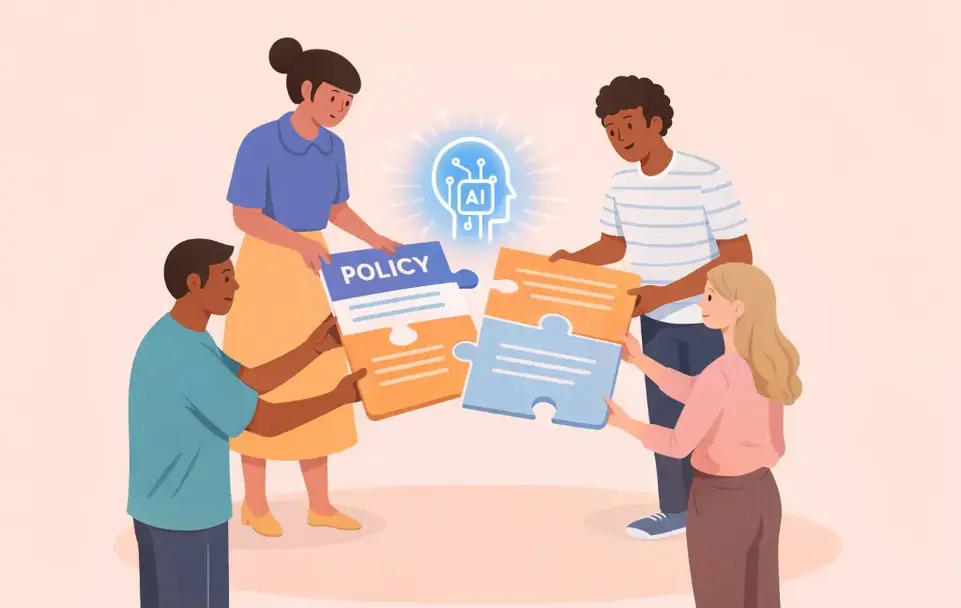


A corporate AI policy defines which AI tools your organization approves, how employees can use them, and what data can flow through them. As of May 5, 2026, 38% of organizations have one in place. Meanwhile, 63% of organizations hit with AI-related breaches either had no governance policy or were still drafting one, and 97% of organizations that reported an AI-related security incident also lacked proper AI access controls.
Those numbers point to a wide gap between adoption and governance, and most of that gap shows up as Shadow AI, which is the use of AI tools, models, or AI-powered features inside an organization without the knowledge, review, or approval of IT and security teams. When adoption outpaces oversight, it becomes the default path, and sensitive data moves through tools no one has vetted.
Note: This article is for informational purposes only and does not constitute legal advice. Organizations are advised to consult qualified legal counsel before implementing an AI policy or interpreting any of the regulatory frameworks referenced.
The Short on Time Version
- Why this matters now: Shadow AI use, agentic tools embedded in enterprise software, and customer-driven governance questionnaires have made informal guidance untenable.
- The seven components of a complete policy: scope and definitions, an approved tool registry, data classification rules, use case controls, vendor evaluation, role-based training tied to EU AI Act literacy obligations, and audit mechanisms.
- The six-step drafting sequence: audit existing usage, map data to risk tiers, convene a cross-functional working group, draft category-specific guidance, pressure-test against real workflows, and set a review cadence.
- Special considerations: AI meeting tools need their own section because they capture live human speech, and Otter.ai is built to fit inside the framework.
What Does a Corporate AI Policy Govern?
A corporate AI policy sets the boundaries for AI use across the organization and gives auditors, regulators, and procurement teams a single document to reference. Frameworks like NIST AI RMF 1.0 and ISO/IEC 42001:2023 provide a tested architecture that supports both internal governance and external compliance. The scope must go beyond generative AI chatbots. Because an AI system includes at least one AI component, the embedded AI features in your existing SaaS stack also fall within scope, from the AI notetaker on your video calls to the application you use for improving CRM data quality.
Why Most Organizations Now Need a Formal AI Policy
Most organizations are catching up fast. The share assessing the security of their AI tools nearly doubled, from 37% in 2025 to 64% in 2026, as structured processes replace informal guidance. Three pressures explain the shift:
- Employees adopt AI tools faster than IT can sanction them. 54% of over 10,000 employees surveyed said they use unauthorized AI tools.
- Agentic tools create data flows existing policies do not cover. Gartner predicts 40% of enterprise applications will feature task-specific AI agents by the end of 2026, up from less than 5% in 2025.
- Customers now require evidence of AI governance in vendor questionnaires. Procurement teams are pressing for visibility into shadow AI across the enterprise, with B2B companies projected to lose more than $10 billion in enterprise value due to ungoverned GenAI functionality.
Those pressures define what a corporate AI policy has to cover. The next section breaks the policy itself into its working parts.
The Seven Components of a Complete Corporate AI Policy
Think of a corporate AI policy like an employee handbook for working with AI. Every team needs to know what's approved, what's off-limits, and who to ask when something falls in the middle. These seven components answer those questions before they come up.
Scope and Definitions Must Cover Every AI System, Not Just Chatbots
Spell out who the policy covers (employees, contractors, vendors), which tools it applies to, and which jurisdictions are in play. Most policies trip up here by focusing on obvious chatbots and missing the AI features baked into tools the team already uses every day, like the AI notetaker on your video calls or the writing helper in your CRM.
An Approved Tool Registry Needs Risk Tiers and Expiration Dates
Sort tools by risk: low-risk productivity helpers, higher-risk autonomous agents, and a "do not use" list. For each tool on the registry, note who approved it, what data it can handle, and when the approval expires. The expiration date is the part most teams skip, and it's what keeps the list from turning into a forgotten spreadsheet.
Data Classification Rules Set the Boundaries for Every AI Tool
Match your data sensitivity tiers to AI tool restrictions. Public marketing copy can go into any approved tool. Customer data, financials, or anything regulated needs guardrails, like a contract clause that prevents the vendor from using your data to train their models. This is the rule that gives procurement something concrete to enforce.
Every Permitted Use Case Needs a Stated Control
Pair each approved use case with the check that goes with it: a human reviews AI-drafted emails before they go to a customer, an engineer reviews AI-generated code before it ships, and someone signs off on anything customer-facing. Spelling out controls for each use case is more practical than maintaining a long list of bans that employees work around anyway.
Vendor Evaluation Must Cover Model Training and Incident Notification
When you evaluate an AI vendor, ask the questions that actually matter: Will they train models on your data? Do they hold SOC 2 Type II or ISO 27001? Who owns the IP in the output? How quickly will they tell you if something breaks? Roll this into the third-party risk review you already run, so the same vendor isn't reviewed twice.
Build Role-Based Training Tied to the EU AI Act
If your organization operates in the EU, the EU AI Act's AI literacy obligations took effect in 2025 and apply to anyone providing or deploying AI. The practical version is a simple training matrix: every employee gets a policy overview at onboarding, regular AI tool users get hands-on data-handling training, and IT and security get the deeper vendor and shadow AI material. Tracking completion gives you the paper trail regulators ask for.
Audit Mechanisms Turn the Policy Into an Enforceable Control
A policy without monitoring is just a suggestion. Pair the document with technical enforcement (DLP rules that block sensitive data from unapproved AI tools, allowlisting through endpoint management) and a review schedule (quarterly tool inventories, semi-annual vendor checks, annual full revisions). Without the audit layer, the rest of the policy is guidance, not governance.
With the components defined, the next question is how to assemble them into a working document.
How to Draft a Corporate AI Policy in Six Steps
Drafting an AI policy works best as a sequence, with each step setting up the next and keeping the document grounded in how people actually work:
- Step 1: Audit existing AI tool usage first. Find what's already in use before writing rules. Look beyond chatbots to AI features inside analytics tools, survey platforms, and especially meeting apps and AI notetakers. Shadow notetakers joining calls unnoticed are a common blind spot.
- Step 2: Map data categories to risk tiers. Use the tiers your privacy program already follows, then layer in AI-specific considerations. Meeting recordings and transcripts often contain personal information covered by CCPA/CPRA and similar laws, so reflect those obligations in your tiering.
- Step 3: Convene a cross-functional working group. Pull in Legal, IT, Cybersecurity, Compliance, HR, Risk Management, and Business Operations. Business Operations surfaces workflow constraints a security-only group would miss.
- Step 4: Draft category-specific guidance for each tool type. Productivity assistants, code generators, customer-facing chatbots, AI notetakers, and autonomous agents each carry different risks. Use a low-medium-high classification, and for each category define the required human review before output goes anywhere.
- Step 5: Pressure-test the draft against live workflows. Send it to Legal and the CISO, then walk it through real scenarios with end users. If the policy breaks the first time someone joins a customer call with an AI notetaker, it'll be ignored.
- Step 6: Set a review cadence before going live. Build it into the document: quarterly compliance and technical reviews, annual full revisions, and out-of-cycle triggers for incidents, new regulations, or new AI features shipping in tools your team already uses.
This framework works for most enterprise AI tools, but one category needs its own treatment.
AI Meeting Tools Need Their Own Section in the Policy
AI meeting tools capture live human speech in real time, creating exposure that no general AI policy addresses. Consent is the hardest piece. Federal law and most US states follow one-party consent, but 12 states require all-party consent: California, Connecticut, Delaware, Florida, Illinois, Maryland, Massachusetts, Montana, Nevada, New Hampshire, Pennsylvania, and Washington. If one participant is in California, everyone on the call may need to follow California’s consent requirements.
Capturing privileged conversations with counsel can waive attorney-client privilege. For EU attendees, GDPR call recording rules require a documented lawful basis, purpose-specific disclosure, and a one-month response window for access or deletion requests.
A workable policy restricts use to enterprise-licensed tools, defaults to all-party permission-based recording, prohibits notetakers in legal, HR, and M&A sessions, and contractually bars vendors from training models on conversation data.
For organizations evaluating which AI notetaker can sit inside that framework rather than around it, the next section walks through what to look for.
How Otter Fits in a Corporate AI Policy
Otter is a Conversation Intelligence Platform that turns meetings into searchable conversation records with decisions, action items, and insights. As a tool that transcribes meetings and conversations, Otter captures the dialogue; for IT and security teams, it consolidates that capture into a single governed record auditors and procurement can point to.
Through Super Admin, IT manages permissions and recordings, audits activity, and configures sharing rules from a central console. Otter joins the meetings users configure it to capture across Zoom, Google Meet, and Microsoft Teams, so admins control where the tool runs. Otter's contracts with its AI service providers prohibit using customer data to train models, and Otter AI Chat can be opted out at the workspace level. Enterprise agreements include a data controller/processor allocation that gives data classification rules contractual backing.
Otter is SOC 2 Type II certified, supports HIPAA-eligible configuration with a Business Associate Agreement available on Enterprise, and participates in the EU-U.S. Data Privacy Framework. Standard Contractual Clauses cover cross-border transfers, and audit logs maintain visibility into account activity for compliance reporting.
Otter's MCP server, available on Enterprise, lets external models query conversation records under IT-defined controls, giving security teams a documented data flow to govern rather than discover after the fact. That mapping is easier to see in practice as demonstrated by Stax.
How Stax Consolidated Shadow AI Onto One Governed Platform
Stax, a strategic management consulting firm running four-to-six-week client engagements, hit the exact shadow AI problem this framework is built to prevent.
Moving to Otter Enterprise helped centralize control over subscriptions and data through Super Admin, retired the rogue accounts, and consolidated client information inside a single managed repository, the same audit and governance layer the policy framework calls for.
Real-time transcription also saves the team one to two days per engagement, with up to 95% transcription accuracy across over 1 billion meetings Otter has transcribed. Stax shows what the framework looks like when it holds up in practice. The final step is keeping the policy itself current.
Treat Your Corporate AI Policy as a Living Document
A corporate AI policy works as an operating system for how your organization adopts AI with seven components, six drafting steps, and a review cadence that keeps it current as tools and regulations shift.
Start with the inventory step. Audit what is in use, classify the data flowing through each tool, and decide what gets approved, restricted, or retired. Everything else that follows, builds on that foundation.
The goal is a clear path for teams to use AI without creating audit findings, compliance gaps, or procurement friction. If you're trying to consolidate three or four ungoverned AI meeting tools into one your security team can sanction, Otter is built for that. Get a demo or try it free.
FAQs
Who Owns a Corporate AI Policy?
Ownership typically sits with the CISO or CIO, with input from a cross-functional working group that includes Legal, IT, Cybersecurity, Compliance, HR, Risk Management, and Business Operations. The working group ensures the policy reflects operational reality across departments, not just the security team's perspective.
What Do We Do About AI Tools Already in Use Before the Policy Was Drafted?
Start with the inventory step: audit every AI tool currently in use across the organization. Each tool gets evaluated against the new risk tiers and data classification rules. Tools that meet policy requirements get added to the approved registry. Tools that do not get a defined transition period for migration or discontinuation.
Does My Company Need an AI Policy?
If employees are already using AI tools, the policy is what gives the organization visibility into what's running, what data is flowing through it, and who is accountable for the output. Without that framework, AI use happens anyway, just without governance or audit trail.
Related posts








