Chief of Staff Tools: Building a Stack That Turns Decisions Into Action

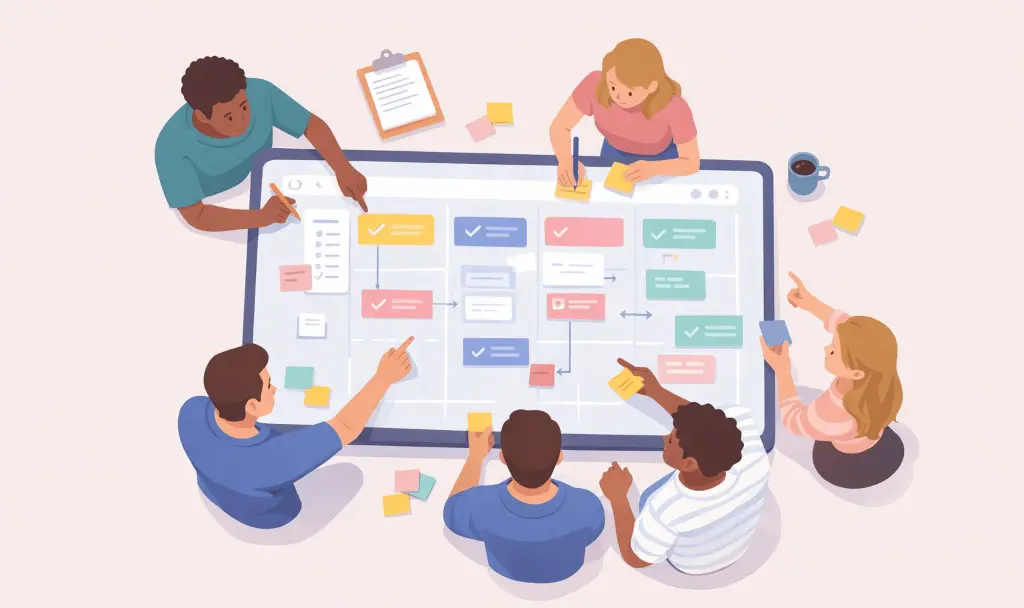


Executives spend significant time in meetings, and the chief of staff is responsible for ensuring that what was decided in those meetings doesn't disappear, is routed to the right owner, and shows up as tracked work the next day.
For chiefs of staff (CoS) working at the intersection of executive intent and organizational execution, fragmentation is the default state. Decisions get made in hallway follow-ups, on customer calls you couldn't attend, and in the last five minutes of leadership syncs. By the time your CEO stops by your desk to ask, "What did we actually land on for the Q3 hiring plan?", you're piecing the answer together from three incomplete records, and you're not entirely sure which one is right.
The right chief of staff tools help you capture what happens in your executive's world, surface what matters, and connect decisions to the systems where work actually gets tracked, so you can operate as a force multiplier instead of a human relay.
The Short on Time Version
- A chief of staff stack collectively needs to capture every meeting automatically, surface decisions and action items across the full history, connect to the executive's calendar, inbox, CRM, and project tools, and act as one system of record instead of five.
- The eight tools cover the CoS workflow, from conversation intelligence and knowledge management to project tracking, communication, all-in-one work management, custom databases, cross-system automation, and CRM visibility.
- Start with your executive's biggest time leak, then consolidate before you specialize. Audit where their time is actually going; pick a core tool for knowledge and projects, one for communication, and add specialized tools only where a domain-specific product adds irreplaceable value.
- Make conversation intelligence the foundation of the stack. A tool like Otter captures what happens in meetings and, through its MCP server and native integrations, pushes decisions and action items directly into Notion, Slack, Jira, and Salesforce so nothing important falls between systems.
The 8 Best Chief of Staff Tools
Each tool below is evaluated on how well it meets the criteria of capturing meetings, surfacing decisions, integrating with executive systems, and reducing fragmentation. If a tool doesn't move at least one of these forward, it's adding another silo rather than reducing fragmentation, and probably doesn't belong in your stack.
1. Otter — AI Meeting Transcription
Otter is a conversation intelligence platform you can deploy across your executive's calendar to turn every meeting into a clear summary with decisions, action items, and a searchable record that the whole leadership team can use. You can configure it to join the calls you choose on Zoom, Google Meet, and Microsoft Teams, capturing what was said even when you're double-booked or not in the room with your principal.
For a CoS managing a packed executive calendar, the cross-meeting search is where the value compounds. You can ask Otter AI Chat what a customer said about implementation timelines from last month's call, and it will return the answer with speaker attribution. You don't need to remember which meeting it was or dig through recordings; the conversation records are already searchable. You just ask. This helps you turn weeks of conversations into an organizational memory you, your executive, and the leadership team can query.
Otter also reaches outward through its MCP server, which makes your meeting record something the rest of your stack can actually use. If your team lives in ChatGPT or Claude, they can pull Otter transcripts directly into the conversation, no copy-pasting, no uploaded files. And Otter's chat function can go the other way, reading from and writing to Notion, Jira, Salesforce, Google Docs, Gmail, and Slack, so you can ask Otter to draft a follow-up email, push action items to a project tracker, or update an account page without switching tabs.
Otter goes beyond automatically logging action items from every meeting to assigning them, so you're not the bottleneck for follow-through. It integrates with Salesforce, HubSpot, Jira, and Asana, so meeting notes and insights flow into the system of record with less manual entry on your part.
The Business plan ($19.99/user/month annually) supports meetings up to four hours, long enough for board sessions and strategy off-sites, with three concurrent meetings, so you can cover parallel executive sessions. Enterprise+ adds SSO, HIPAA compliance, and related governance capabilities, while the Enterprise plan includes SCIM-based directory sync and other governance tools such as audit and activity management.
2. Notion — Knowledge Base
Notion combines wikis, project databases, and a calendar into a single workspace, making it a natural home for the cross-functional visibility infrastructure you're responsible for building as a chief of staff.
Its project databases support custom properties and multiple views, including calendar, board, timeline, table, and list, so that you can build exec-facing views without engineering help.
On the Business plan ($20/member/month annually), Enterprise Search queries across Notion and connected apps like Slack, Teams, Jira, and Salesforce, which means when your exec asks where a decision landed, you can find it without switching tools. Paired with Notion's wiki and database layers, that turns it into the org-wide knowledge surface a CoS maintains, decision logs, team charters, project one-pagers, and meeting summaries piped in from Otter, all searchable in one place.
3. Asana — Project Tracking
Asana is a fit for the cross-functional initiative tracking you inherit as chief of staff, as well as for programs that span multiple teams and need someone to keep the threads tied together.
The Advanced plan ($24.99/user/month annually) adds Portfolios, high-level dashboards showing progress and health across multiple projects, plus Goals and approval workflows you can use to roll status up to your executive.
Smart Status uses AI to draft status reports by analyzing project data, which means you spend less time compiling weekly updates and more time acting on them. Asana also offers deep two-way integrations with Salesforce, Jira Cloud, Tableau, and Power BI at the Advanced tier, and the Enterprise tier adds PowerPoint exports you can hand to your principal for board reviews.
4. Slack — Team Communication
Slack is where a lot of your day-to-day coordination happens, quick check-ins with team leads, escalations you're routing on behalf of your executive, and cross-functional coordination outside formal meetings.
For a CoS, channels, custom user groups, and Slack Connect are what you use to keep the communication architecture clean.
On Business+ ($15/user/month annually), Slack AI adds daily recaps of channel activity, natural-language search across your message history, and automated workflow generation, so you can catch up on what happened in channels you don't live in and route repeat requests without pinging people manually every time.
5. ClickUp — All-in-One Work Management
ClickUp is a cloud-based project management platform that centralizes tasks, documents, goals, and communication, serving as an all-in-one productivity and project management solution that lets users manage tasks, projects, team collaboration, docs, dashboards, and workflows from a single workspace. For a CoS running a lean ops function, that consolidation is the point: initiative trackers, meeting notes, OKRs, and exec dashboards can all live in one place instead of spread across five tools.
ClickUp's flexibility is what earns it a spot in the stack. You can build custom views (list, board, Gantt, calendar, workload) without engineering help, then layer dashboards on top of them to roll up status to your principal. For a CoS who needs to answer "where are we on the top initiatives?" in seconds, having tasks, docs, and reporting in the same workspace removes a lot of the manual cross-referencing that usually lands on your plate.
The Business plan is designed for teams scaling beyond basic project tracking, offering advanced reporting, automation, and a suite of advanced tools essential for managing more sophisticated workflows. ClickUp also integrates with Otter, so meeting action items can land directly as ClickUp tasks, keeping the gap between what was decided and what's being tracked to a minimum.
6. Airtable — Custom Databases
Airtable is the CoS power tool for when the off-the-shelf project tracker doesn't quite fit.
Airtable is a relational database platform that lets you build the exact tracking system the organization needs, OKR dashboards, stakeholder matrices, initiative logs, board prep trackers, without asking engineering for help. If a data point changes in one tracker, it syncs everywhere, so you don't have to do the manual cross-referencing that usually lands on your plate.
The Business plan ($45/seat/month annually) adds Roadmap view, Exec Summary cards you can share directly with your principal, two-way sync with tools like Jira and Salesforce, and 100,000 automation runs per month, enough headroom to offload repetitive ops work to automations instead of your inbox.
7. Zapier — Workflow Automation
Zapier is how a chief of staff turns repetitive operational work into automated pipelines without asking engineering to build internal tools.
For a CoS, automation is one of the highest-leverage layers of the stack: routing meeting follow-ups into CRMs, syncing OKR updates between systems, triggering Slack alerts when an exec-priority deal changes stage, or pushing Otter action items into your project tracker the moment a call ends. Every plan includes unlimited Zaps, so you can build as many workflows as you want without constantly pruning or consolidating. Every plan also includes access to Copilot, an AI-powered assistant that can help you brainstorm, build, and maintain systems across Zapier's entire ecosystem.
Zapier's Professional plan costs $19.99/month if billed annually, and includes unlimited multi-step Zaps, access to premium apps, logic tools like Filters and Paths, and 1 user seat. With Tables, Forms, and Zapier MCP at no additional cost and 8,000+ app integrations, Zapier becomes the connective tissue between Otter, Slack, your CRM, and your project tracker, so the workflows you'd otherwise babysit manually run themselves.
8. HubSpot — CRM & Customer Visibility
HubSpot gives a chief of staff direct visibility into the customer and revenue side of the business, which matters when your executive runs pipeline reviews, board prep, and customer escalations through you.
HubSpot's CRM software is an AI-powered system of record that's customizable for your unique business needs, leverages real-time insights to make smart recommendations, and serves as the underlying database that unifies your customer data across your teams. For a CoS, the Smart CRM, deal pipelines, and reporting dashboards mean you can answer questions like "what's the status of our top 10 accounts?" or "which deals slipped this quarter?" without pinging the sales team for an ad hoc update.
HubSpot Sales Hub has four tiers: Free, Starter, Professional, and Enterprise. The Professional tier adds sequences, deal forecasting, custom reporting, and workflow automation that's useful when you're helping your principal prep for a board meeting or QBR. Otter's HubSpot integration pushes call summaries and action items directly into the relevant contact, company, or deal record, so customer conversations become part of the CRM instead of being trapped in someone's inbox.
How to Choose the Right Chief of Staff Stack
Assembling your stack isn't about buying one of everything; it's about sequencing purchases around the executive workflow gaps you feel most acutely.
Start With Your Executive's Biggest Time Leak
Before purchasing anything, audit how your executive actually spends their time. Start by categorizing executive activities, strategy, team leadership, external networking, operational reviews, and evaluating each against strategic priorities.
The tool you buy first should address the category where the most time is being lost to low-leverage work, for your executive and for you. If your CEO spends hours in meetings and the team regularly leaves with different interpretations of what was decided, the conversation intelligence layer comes first.
Consolidate Where You Can, Specialize Where You Must
The core trade-off is straightforward: consolidation improves data consistency and lowers costs, but it can eliminate critical functionality. The best outcomes come from being explicit about what you're willing to standardize versus where specialization still matters.
Use one tool for knowledge and project tracking (Notion, Asana, or ClickUp), one for communication (Slack), and specialize only where a domain-specific tool adds irreplaceable value, like Zapier for cross-system automation or HubSpot for customer and revenue visibility.
Pick One Source of Truth for Meetings, Decisions, and Action Items
The conversation intelligence layer is the foundation because every other system depends on what was captured from conversations. Otter connects with tools like Notion, Slack, Airtable, Salesforce, and HubSpot. Through its MCP server, it plugs directly into the AI chat tools your team already uses, so you can ask ChatGPT or Claude a question that spans meetings, docs, and inboxes at once.
Otter can also push action items into Notion or Jira on your behalf. That's how a single conversation intelligence platform becomes the connective tissue of your whole stack, and the most reliable way to make sure nothing important falls between systems while you're in the middle of ten other things.
The Right Stack Turns You Into a Force Multiplier
The chief of staff role works at the intersection of every team, every initiative, and every executive conversation. Your tools should match that scope, capturing what happens in meetings, connecting decisions to project trackers, and making the full history of organizational conversations searchable and actionable.
When your CEO asks, "What did we land on for Q3?" the answer should already be in the system, attributed, timestamped, and linked to the work that's supposed to follow, and you should be able to surface it in seconds.
Otter handles the conversation intelligence layer for you, capturing conversations, surfacing decisions and action items, and pushing them into the tools where work gets tracked.
Get a demo to see how Otter fits your executive workflow, or try it free in your next meeting.
Related posts

.avif)