AI Agent Examples: Types, Real-World Use Cases, and How They Work in 2026




Before AI agents, a sales rep finishing a 3:00 PM discovery call had thirty minutes before her next one. In that window, she had to type notes into Salesforce, draft a follow-up email, flag a competitive risk to her manager, and update the deal stage. Most reps get through one or two of those before the next call starts. The rest happens later in less detail, or not at all.
With an AI agent in the loop, the time spent on post-call admin work collapses into seconds. The agent can be configured to listen to the call live, extract the budget, timeline, and decision-maker signals, draft a follow-up referencing the prospect's specific concerns, update CRM fields, and ping her manager about a competitive risk that came up on the call.
That's one example of agentic capabilities in action and the workflow most modern revenue teams are already moving toward. By the end of 2026, 40% of enterprise applications will include task-specific AI agents, up from less than 5% in 2025.
The Short on Time Version
- AI agents are software systems that perceive, reason, act, and adapt across the tools where work already happens.
- AI agents span five categories: reactive, planning, collaborative (multi-agent), learning, and autonomous "digital workers."
- AI agents are already delivering value across sales and revenue, customer support, knowledge work, software engineering, and business operations.
- The common thread across all categories is connectivity and the ability to use tools via standards such as the Model Context Protocol (MCP).
What Is an AI Agent?
An AI agent is a software system that can perceive its digital environment, reason about what to do, and take action to complete a goal, with limited human supervision once it's running.
The cleanest way to see the difference between a chatbot, an AI assistant, and an AI agent:
- A chatbot answers a question and stops there.
- An AI assistant suggests the next step inside a workflow you're already running.
- An AI agent plans and executes a stated goal itself, calling tools, updating systems, and adapting if something doesn't go as expected.
A chatbot replies, an assistant recommends, an agent acts. All three may sit atop the same large language models, but only the agent reaches into other systems to actually move work forward. When you're evaluating an AI application, the test is simple: does it call other tools, plan multi-step work, and persist context across interactions?
How AI Agents Work
Most modern AI agents operate on a loop with four moving parts: perceive, reason, act, and learn.
- Perceive. The agent gathers inputs, such as a user prompt, a meeting transcript, an API response, a database record, or a real-time data feed.
- Reason. The agent decides what to do next. In LLM-based agents, this often follows the ReAct pattern: think, act, observe the result, think again.
- Act. The agent executes by sending an email, updating a CRM record, drafting a document, or triggering a downstream workflow.
- Learn. Some agents feed outcomes back into their memory or model so future actions improve.
Two architectural pieces make this loop useful in production.
- Memory lets the agent maintain short-term context within a session and, increasingly, long-term context across sessions. Without it, every interaction resets.
- Tool use and connectivity let the agent read from and write to real systems: CRMs, project trackers, document stores, calendars, and ticketing systems.
The quality of an agent's connectivity often matters more than the cleverness of its reasoning, which is why open standards like the Model Context Protocol (MCP) are gaining traction. They give agents a consistent way to plug into the tools where work already lives.
Types of AI Agents
Some AI agents follow a single rule, others reason their way through multi-step plans, and a growing number coordinate with each other to get a job done. Grouping them by capability is the most useful way to make sense of the landscape:
- Reactive AI agents wait for a specific trigger and execute a predefined response. A spam filter is a textbook example: it scores each incoming email against learned signals and either delivers it, flags it, or drops it into junk.
- Planning AI agents take a goal, break it into steps, and execute each step in sequence, often adjusting the plan as new information comes in. The research agents in ChatGPT and Claude are good examples: given a question, they decide what to search for, read the results, refine the query, and stop only when they have enough to answer.
- Collaborative (multi-agent) AI systems split a complex job among several specialized agents that hand off work to one another. A lead-qualification system, for instance, might run one agent to enrich account data from public sources, a second to score the lead against an ICP, and a third to draft personalized outreach and route it to the right rep.
- Learning AI agents maintain a feedback loop between their actions and the outcomes those actions produce, and update their behavior accordingly. Fraud detection systems work this way: every flagged transaction that turns out to be legitimate (or every missed fraud that surfaces later) feeds back into the model, so the agent gets sharper at distinguishing real attacks from noise as new patterns emerge.
- Autonomous AI agents (a.k.a. "digital workers") hold a long-running role with a name, a scope of responsibility, and memory that carries across weeks or months. A digital Sales Development Representative (SDR) is a great example: it researches a target account, drafts personalized outreach, books meetings based on incoming replies, and remembers the full thread when the prospect responds later, all without being re-prompted at any step.
Most real deployments combine elements of several categories. A sales agent might be reactive at times, planning at others, and persistent overall.
AI Agent Examples in the Real World
The categories above explain how agents work. The more useful question is where they're delivering measurable results today. Here are five places where the value is already concrete:
1. AI Agents for Sales and Revenue
Sales reps lose hours every week to post-call admin, including updating CRM fields, drafting follow-ups, and logging deal notes. They spend up to 60% of their time handling admin work instead of selling to prospects.
AI agents take that work off the rep's plate so they can spend more of their day actually selling. They listen to live calls, extract qualification signals using frameworks like BANT or MEDDIC, draft follow-up emails before the rep is out of their next meeting, and automatically write structured updates back to Salesforce or HubSpot. The CRM stops being a manual reporting layer and becomes a real-time reflection of what's actually happening in deals.
The downstream effects compound as managers get a clearer picture for forecasting and coaching. New reps ramp up faster because they can identify patterns in winning calls rather than shadowing them in real time.
For example, Otter is a Conversation Intelligence Platform that captures every sales call across Zoom, Google Meet, and Microsoft Teams, then turns those conversations into structured records, summaries, and insights that connect to the rest of a team's tools. Otter auto-extracts BANT and MEDDIC fields, or custom insights from every call, and syncs them to Salesforce or HubSpot without rep intervention.
2. AI Agents for Customer Support
Customer support is another active commercial category for AI agents. The agents read knowledge bases, query the CRM, and complete multi-step troubleshooting before escalating to a human. They operate against ticket queues 24/7, resolving the kind of repeat questions that used to fill an entire Tier 1 support queue.
What changes most isn't the volume the agent handles, it's what the human team gets to focus on. With routine resets, refund lookups, and "where's my order" questions handled in the background, support reps can spend their time on the complex, edge-case tickets that actually need judgment, empathy, or escalation authority. The work that's left is more interesting, harder to automate, and more directly tied to retention.
3. AI Agents for Knowledge Work
Most knowledge work runs on conversation. Decisions, commitments, context, and customer feedback are generated during calls and need to land in the systems where the rest of the work happens, such as Notion pages, project trackers, CRMs, and shared docs. The handoff is almost always manual, and that's where context gets lost.
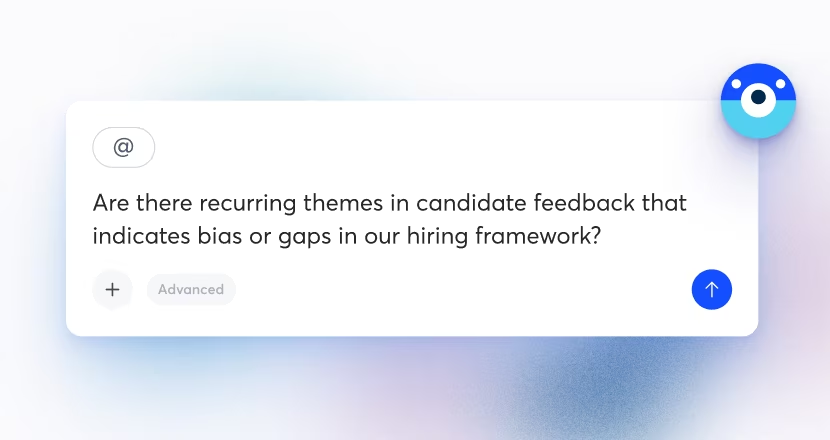
AI agents take that handoff over, turning conversation into structured, queryable, connected knowledge, so a question asked on Tuesday is searchable on Thursday, no matter who needs to find it. The Model Context Protocol (MCP) is an open standard that lets AI assistants connect directly to the tools where data lives, instead of forcing humans to copy and paste between them.
With Otter + MCP, that works in two directions. Knowledge workers can pull Otter meeting context into ChatGPT or Claude to reason about it alongside everything else, or they can ask Otter's own AI Chat to read from and write to Notion, Salesforce, Google Docs, Gmail, and Slack, so meeting intelligence lands in the systems teams already use.
The practical result: a content team can ask, "Summarize what the client said about reporting limitations and append it to their account page in Notion," and have it done in a single prompt. A PM can pull every action item assigned to them across the week's meetings into their task list. The meeting stops being a recording that sits in one tool and starts being a source of intelligence that flows wherever the work happens.
4. AI Agents for Software Engineering
Coding has moved faster than other knowledge domains into agent-driven workflows. Tools like Cursor and Claude Code can read the codebase, plan a change, edit multiple files, run tests, and open a pull request for human review. The developer's role shifts from typing to reviewing.
The productivity numbers are measurable: In a GitHub study, developers using GitHub Copilot completed a controlled coding task 55% faster. That's one bounded task, not a claim about all coding work, but it's directional: agent-assisted coding compresses the time between intent and production code. More autonomous agents go further, running in sandboxed environments where they can install dependencies, spin up services, and verify their own output before returning a result.
Software engineering just happened to be the first domain where the agentic loop could close cleanly at scale. The tools were already programmable, and the goals could be expressed precisely enough for an agent to act on them without ambiguity.
5. AI Agents for Business Operations
AI agents can now process invoices, classify and route tickets, reconcile data across systems, and even run compliance checks. The kind of work that absorbs hundreds of hours a week and produces no career capital for the humans doing it.
In a typical deployment, a planning agent ingests an inbound document, such as an invoice, a vendor request, or a contract amendment. It extracts the relevant fields, validates them against existing records, posts an update to the system of record, and escalates the exceptions to a human.
Once the workflow is instrumented, the agent runs continuously, and humans only see the edge cases. Software vendors across operations, finance, and IT are now embedding agentic capabilities into their core products, and early deployments are handling the repetitive workflows that used to consume the time of entire teams.
Benefits of AI Agents
Across every AI agent example in this guide, the same handful of benefits show up:
- Time recovered for higher-value work. Agents handle post-call admin, data entry, routing, and documentation. The human stays on the parts that require judgment.
- Better data quality across systems. Because the agent is the one writing to the CRM, the project tracker, or the ticket queue, the gap between what happens and what gets logged shrinks dramatically.
- Always-on execution. Agents don't forget steps, don't go to lunch, and don't deprioritize the boring parts of a workflow under deadline pressure. They run the full process every time.
The key to getting it right with AI agents includes picking a clear scope, instrumenting the workflow, and connecting the agent to the systems where the work actually lives.
Reduce Manual Work in Your Meetings With an AI Agent
Of every conversation your team has, the meeting is where the most context is generated, and, the most is lost. Decisions, commitments, follow-ups, and customer feedback evaporate the moment the call ends, and someone spends the next half hour trying to reconstruct them.
Otter is a Conversational Knowledge Engine that turns every meeting into searchable, structured, connected intelligence. Its agentic capabilities, including live meeting capture, sales coaching, AI Chat sits on top of that record, and MCP connectivity lets the intelligence flow into the tools your team already uses, from Salesforce and Notion to ChatGPT and Claude
Over time, your meetings stop being recordings and become organizational memory you can search, query, and act on.
Get a demo to see Otter’s agents in action, or try Otter free in your next meeting.
Related posts