Otter + MCP: Your Meetings Now Power Every Tool You Use



The Problem Everyone Ignores
Every day, your team generates hours of rich conversation in meetings, then manually copy-pastes fragments into emails, CRMs, docs, and project trackers. The insights decay with every handoff. Context gets lost. Follow-ups slip.
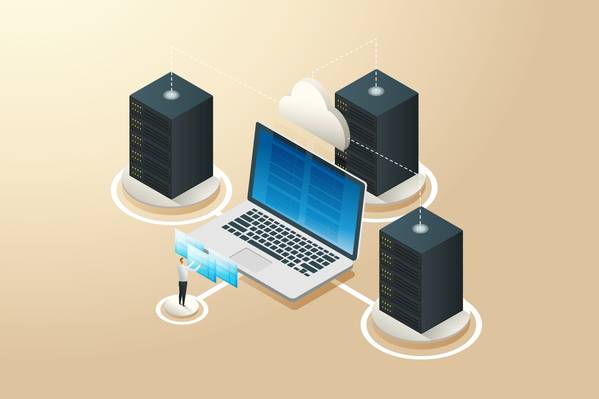
MCP (Model Context Protocol) changes this. It's the open standard that lets AI assistants connect directly to the tools where your data lives, so information flows automatically instead of being manually shuttled between apps.
With Otter + MCP, this works in two powerful directions:
Use the AI you already love. If your team lives in ChatGPT, Claude, or any other MCP-compatible chat app, they can pull Otter meeting intelligence directly into those tools. No uploading transcripts, no copy-pasting summaries. Your AI assistant simply knows what happened in your calls and can reason about it alongside everything else in its context.
Or start from Otter AI Chat and reach out. Otter's own AI Chat connects outward to your enterprise apps via MCP: Notion, Jira, Salesforce, Google Docs, Gmail, Slack, and more. Ask Otter a question, and it can read from and write to the tools your team already uses. No switching tabs. No context loss. One conversation that spans your entire workflow.
Either way, the result is the same: meeting intelligence stops being trapped in a recording and starts powering action across your organization.
What This Looks Like in Practice
1. Automatic Post-Call Follow-Through
Scenario: Your AE just finished a QBR with a strategic account.
Without MCP, someone has to review the recording, pull out next steps, draft a follow-up email, update Salesforce, and flag risks to the manager. That takes 30-45 minutes and half of it gets forgotten.
With Otter + MCP, the AE opens ChatGPT and says:
"Based on the QBR call I just had with Acme Corp, draft a follow-up email with next steps, update the opportunity summary in Salesforce, and flag any risks or objections."
ChatGPT pulls the Otter transcript via MCP, drafts the email in Gmail, pushes the update to SFDC, and surfaces the three objections the prospect raised. Done in under a minute. No one had to remember to do anything.
2. Unified Intelligence Across Spoken and Written Communication
Scenario: A prospect has been asking security questions across multiple channels for weeks: some in live calls, some buried in email threads.
With Otter + Gmail + MCP connected, an AI assistant can answer:
"What has Princeton asked about security so far, across calls and email?"
The AI pulls relevant Otter transcripts and Gmail threads into a single context and synthesizes the full picture. No one has to search two systems separately or rely on memory. Spoken and written comms become a single, queryable knowledge surface.
3. Meeting-to-Document in One Step
Scenario: Product just wrapped a customer roadmap call. The PM now needs to share a recap with stakeholders.
"Using my Otter notes from the roadmap call with Delta, draft a Google Doc recap with key decisions and open questions. Also create a two-slide summary deck in Google Slides."
The AI reads the full meeting context via MCP and produces both artifacts, ready for review and sharing. The PM's job shifts from transcription to editing.
4. Meetings Flow Directly Into Your Knowledge Base
Scenario: Your team uses Notion as the system of record, but meeting insights live in Otter. Today those are two separate worlds.
With MCP, Otter pushes summaries, key moments, and action items directly into Notion pages. This means:
- Customer accounts get updated with the latest call context automatically
- Feature request boards capture what customers actually said, not a paraphrased Slack message
- Project pages reflect decisions made in meetings, not just what someone remembered to type
Product, CS, and Sales can search Notion without needing Otter access. Meeting intelligence becomes organizational knowledge.
Try it yourself. Here's what this sounds like in practice:
"Take the action items from today's sprint planning call and add them to the project tracker in Notion, tagged by owner."
"Summarize what the customer said about reporting limitations in this morning's call and append it to their account page in Notion."
"After every customer call this week, push a two-sentence summary and any feature requests to the Notion feedback board."
"Create a new Notion page under the Q2 Planning project with the key decisions and open questions from today's leadership sync."
"Find every action item assigned to me across this week's meetings and add them to my Notion task list."
The pattern is simple: meetings happen, knowledge flows into your system of record, and no one has to do the busywork of putting it there.
5. Cross-Silo Accountability
Scenario: A customer escalation comes in. The CSM needs to know what was promised, and the PM needs to know whether it matches the current spec.
With MCP connecting Claude to both Otter transcripts and Notion docs, anyone can ask:
"What did we promise this customer across all recent calls, and how does that map to our current product spec in Notion?"
The AI cross-references meeting commitments against documentation in seconds. No more "I think we said..." conversations. This is how you close the gap between what gets said in meetings and what gets built.
Role-Specific Prompts: What You Can Ask Right Now
The real power of Otter + MCP shows up in the daily workflow of every team. Below are ready-to-use prompts organized by role.
Sales
- "Is the feature discussed in today's sales call already on the Notion roadmap?"
- "Pull the latest positioning and FAQs from Notion related to enterprise security."
- "What upcoming features in the roadmap are relevant to this customer based on what they asked in calls?"
- "Search the product roadmap in Notion for anything related to HIPAA compliance."
- "Summarize what Notion says about our Q3 priorities so I can prep for the exec meeting."
Customer Success
- "Summarize customer feedback from recent meetings and add it to our Notion feedback database."
- "What promises were made to this customer in meetings, and where should they be documented in Notion?"
- "Update the customer health page in Notion based on recent calls."
- "What product gaps mentioned in customer calls are already documented in Notion?"
- "Create a Notion summary of renewal risks discussed in recent meetings."
Product Management
- "Update the product roadmap in Notion based on decisions from today's meeting."
- "What assumptions in our Notion PRD were challenged in recent meetings?"
- "Add open questions from roadmap meetings to the Notion decision log."
- "Summarize user pain points from meetings and link them to the Notion strategy doc."
Design & Research
- "Extract usability insights from customer interviews and add them to Notion research notes."
- "What recurring UX issues show up across recent meetings?"
- "Summarize design feedback from the last sprint review and append it to the Notion spec."
Leadership & Exec
- "Create an executive summary in Notion from all leadership meetings this month."
- "Compare what teams are discussing in meetings with what's written in the Notion strategy doc."
- "What strategic risks mentioned in meetings aren't documented anywhere in Notion?"
The Core Value Proposition
Without MCP
With Otter + MCP
Meetings produce notes that sit in one tool
Meeting intelligence flows into every tool automatically
Follow-ups depend on someone remembering
Follow-ups are drafted and routed by AI in seconds
Searching across calls and emails is manual
AI queries spoken and written comms as one unified surface
Knowledge lives in the heads of attendees
Knowledge lives in your systems, searchable by anyone
Promises made in calls get lost
Commitments are tracked and cross-referenced against docs
The Takeaway
MCP turns Otter from a meeting recorder into the connective tissue of your entire workflow. Every meeting becomes a source of structured intelligence that AI can reason about, act on, and route to the right place, without anyone lifting a finger.
Your team doesn't have to change how they work. They just stop losing what happens in meetings.
Related posts