How to Create a Sales Call Automation Workflow



A rep just finished a discovery call that went well. The prospect named their budget range and decision timeline. They flagged a competitor they're evaluating. Then the call ends, and the rep opens Salesforce. For the next 30 to 40 minutes, they reconstruct what was said from memory, type a summary into the opportunity record, update the deal stage, and draft a follow-up email.
By the time the email goes out, the follow-up meeting with the same prospect is already starting. The follow-up is late, the CRM entry is half-complete, and the sharpest details from the conversation, the budget range, the competitor name, the decision timeline, have started to fade.
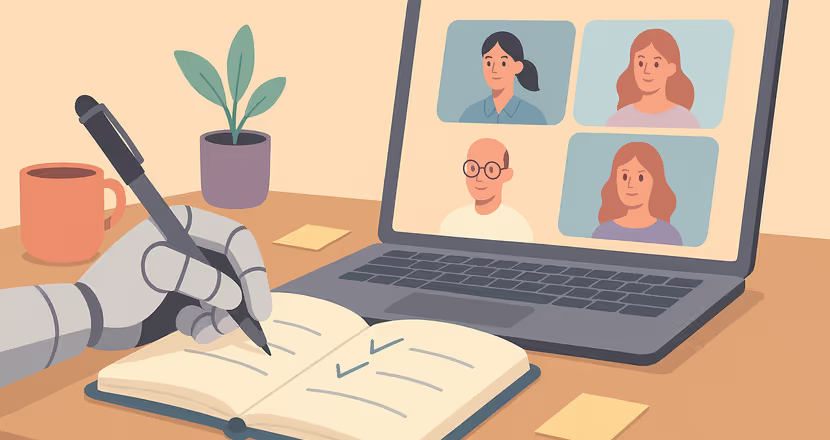
Sales call automation closes the gap between the call and the systems that depend on it. It uses AI to handle the work surrounding a call so the time reps lose to admin goes back to selling. A tool like Otter.ai sits directly in this gap, joining the call to capture what's said, then pushing summaries, action items, and follow-up drafts into the CRM before the next meeting with the prospect. The sections below cover what to automate, in what order, and how conversational AI fits into the workflow.
The Short on Time Version
- Sales call automation uses AI across the full call lifecycle, including pre-call prep, live capture and coaching, CRM updates, and follow-up emails, so reps spend more time selling and less time on admin.
- Post-call admin is the biggest drain on rep productivity. Reps spend 30 to 40 minutes per call reconstructing details from memory, and 68% of organizations still report incomplete CRM data as a result.
- A practical rollout sequence starts with post-call CRM logging, then layers in AI transcription, pre-call briefs, and real-time coaching overlays. Each stage becomes more useful when the one before it is reliable.
- Otter automates the entire sales call workflow by capturing conversations in real time on Zoom, Google Meet, or Microsoft Teams, surfacing live coaching prompts, and pushing notes, action items, and follow-up drafts directly into Salesforce or HubSpot.
What Sales Call Automation Covers
With sales call automation, AI handles repeatable tasks across the full lifecycle of a sales call. Before a call, it can pull account context and serve it to you in a succinct briefing document. During the conversation, it can transcribe and offer live coaching. After the call ends, it can log the outcome, draft the follow-up, and update the CRM.
The term ‘sales call automation’ often gets lumped in with broader "sales automation," which includes lead scoring, email sequences, and pipeline management. Automating the call itself is a more specific problem. It focuses on the work that surrounds every conversation a rep has with a prospect, and the information that needs to flow from that conversation into the systems the rest of the team depends on. This is the layer Otter is built for: capturing the conversation itself and routing what matters into the CRM.
Teams can automate account research and pre-call briefing, real-time transcription with speaker identification, live coaching prompts, CRM field updates and activity logging, follow-up email drafting, and action item extraction with owner assignment.
The Three Stages of a Sales Call Worth Automating
Each stage feeds the next. A pre-call brief depends on CRM data and transcript history; live coaching depends on keyword triggers configured beforehand; post-call summaries depend on the logging schema they write into.
For teams implementing sales call automation for the first time, a practical rollout sequence is:
- AI transcription and call summaries to build the transcript history that makes the rest of the system smarter
- Post-call CRM logging as the lowest-friction starting point
- Pre-call briefs once CRM data is clean and past call records exist
- Real-time coaching overlays after the core workflow is already in place
Each layer becomes more useful when the one before it is reliable.
Why Post-Call Admin Costs Reps the Most
Post-call admin takes time away from active selling. Reps still have to summarize the conversation, update fields, assign next steps, and draft emails when the prospect has already moved on.
MRI Software saw this play out across its 26-person sales engineering team. Engineers responsible for demonstrating 165 products filled out detailed debrief documents after multi-hour demos, relying on memory and frantic notetaking. Key details could easily get lost across a one-to-two-year sales cycle. Solutions Architect Dana Cutter brought in Otter to automatically extract structured insights from every meeting, surface action items, and embed MEDDPICC custom insights into every deal.
The result was $150,000 in annual savings, 20 minutes saved per meeting, and the ROI realized within 2.5 weeks of the pilot. Onboarding that previously took hours now takes minutes, and sales handoffs to professional services became smoother thanks to thorough transcripts and meeting summaries built into the record.
How to Automate Call Prep Before You Dial
Automated pre-call prep pulls account context from CRM deal history and previous call transcripts. Together, those sources give reps both what was logged after prior calls and what was actually said on them.
A well-configured pre-call brief surfaces the prospect's company and recent activity, previous interaction history across reps who've touched the account, objections raised in past calls, deal stage, key stakeholders, and competitive intelligence from earlier conversations.
Send the brief before the scheduled call via email or Slack so the rep has time to review without needing to dig through records manually.
Deploy pre-call automation after post-call logging, transcript history, and CRM data cleanup. Briefs built on incomplete or inaccurate CRM data can mislead reps. The system needs clean data and a library of past call transcripts before automated prep delivers reliable output. Build that foundation with post-call automation first, then layer in pre-call briefs once the data feeding them is trustworthy.
How to Capture and Coach During the Call
During calls, reps have to listen, respond, take notes, and track methodology steps at the same time. That's a lot of parallel cognitive load on one person during a high-stakes conversation.
Let AI Capture the Conversation So You Can Stay Present
Real-time transcription with speaker identification reduces the notetaking burden dramatically. Otter.ai is more than an AI notetaker. It works as a Conversational Knowledge Engine that joins the call on Zoom, Google Meet, or Microsoft Teams, records who said what, and produces a searchable transcript with speaker attribution. The rep doesn't need to type during the conversation, which means they can focus on listening and asking the right follow-up questions instead of splitting attention between the prospect and their notes.
Each recorded and transcribed call adds to the conversation history that powers pre-call briefs and post-call automation. The entire team can reference that searchable library later for deal reviews, onboarding new reps, or preparing for follow-on conversations with the same account.
Surface Objection Responses in the Moment With Live Coaching
Live coaching is a part of tools like Otter, and it operates on top of the transcript stream. The tool helps detect keywords and conversational patterns, then surfaces relevant prompts in real time. When competitors come up, reps can use battle cards and live coaching guidance to respond effectively. When a pricing objection surfaces, the rep sees a suggested response. When a MEDDIC or BANT qualification step hasn't been addressed, the system flags it.
The rep still decides which response fits the moment. AI surfaces the information; the human makes the judgment call on tone, timing, and approach. Active listening, rapport, negotiation, and reading multi-stakeholder dynamics remain fully human skills.
Before purchasing, confirm whether the tool provides prompts during live conversations or only delivers insights after the call ends. Some tools marketed as "real-time coaching" operate primarily in post-call analysis mode.
How to Automate the Post-Call Workflow
Post-call automation eliminates the manual reconstruction step that sits between the end of a call and the CRM update. Instead of the rep typing what they remember, the system extracts structured data from the transcript and writes it directly to the correct fields. Captured conversation data becomes useful operational data when it moves into the systems the team already uses.
Sync Call Notes and Fields to Your CRM Automatically
In many AI meeting tools, "CRM integration" means a transcript link and a summary get logged to the activity timeline. But that still requires reps to manually extract qualification data and update deal fields.
Full post-call CRM automation goes further. It maps extracted insights to specific CRM fields: deal stage, next steps with dates, objections raised, competitors mentioned, budget signals, timeline, and qualification framework fields like MEDDIC or BANT criteria. Automated extraction applies the same logic consistently to every call, while manual entry produces the kind of incomplete and inconsistent records.
Before deploying any tool, define your CRM logging schema. Decide which fields get auto-populated, which require rep review, and how the data maps to your existing opportunity structure. Setting the data model up before deployment is much easier than reworking it after automation is already live.
Generate Follow-Up Emails From What Was Actually Said
Automated follow-up emails pull directly from the call transcript rather than from the rep's memory. A well-structured follow-up includes the prospect's stated goal, what was agreed on during the call, confirmed next steps, and a calendar link or proposed meeting time.
Configure two to three distinct templates by deal stage (discovery, demo, procurement) so the AI populates the right structure based on where the opportunity sits. Early-stage follow-ups after a discovery call need a different format than a post-demo email referencing specific feature questions.
For transactional and early-stage deals, automated follow-ups can often go out with minimal editing. For enterprise and late-stage conversations, rep review before sending is important because relationship nuance and negotiation context require human judgment on tone.
Fast drafts matter because conversion rates drop sharply after the first few minutes. Follow-ups drafted from the transcript and ready for review within minutes of the call ending help close that gap.
Turn Discussion Into Tracked Action Items and Next Steps
Action items extracted from a call are most useful when they clearly specify the action itself, the owner, and the due date.
Configure your system to create CRM tasks from each action item, with the assigned owner and due date populated automatically. A pipeline discipline rule helps maintain this: no next step, no stage advancement. Set a CRM validation rule that flags or blocks stage changes when a next step date is missing.
How Otter Automates the Sales Call Workflow
Otter is more than a AI notetaker. It works as a Conversational Knowledge Engine that captures conversations and turns them into summaries, action items, and a searchable record your team can actually use. It supports sales teams by handling post-call admin so reps don't have to.
During the call, Otter joins on Zoom, Google Meet, or Microsoft Teams with real-time transcription and speaker recognition. It can surface live coaching prompts with objection responses, qualification cues, and methodology reminders while the rep stays focused on the conversation. After the call, Otter generates a summary capturing customer pain points, objections, and next steps, then pushes insights into Salesforce or HubSpot. Follow-up emails are drafted from the transcript and ready for the rep to review and send before the next meeting starts.
Otter AI Chat lets reps and managers search past conversation history on an account. Before a follow-on call, a rep can ask which objections came up in the last conversation or what the prospect said about their decision timeline, and get an answer with speaker attribution. That search works across call history, so context doesn't reset when reps turn over or accounts get reassigned.
Otter turns the conversation data teams are already generating into one source of truth for every call, connected to the CRM and accessible to anyone on the team who needs it.
Ready to stop spending hours on post-call admin? Get a demo or try Otter free.
Frequently Asked Questions About Sales Call Automation
How Do You Automate a CRM Workflow?
CRM workflow automation runs on three building blocks: triggers (the signals that kick off an automated action, like a call ending or a deal stage changing), actions (what the system does once a trigger fires, such as updating an opportunity field or drafting a follow-up email), and rules (the logic that decides when an action should run and which path it should take, so the right workflow fires for the right deal, stage, or owner). For sales calls, this typically means the call ending triggers transcript processing, the action writes the summary, next steps, and qualification fields to the CRM, and rules determine which template, field map, or owner applies based on deal stage and account.
What Is CRM and Workflow Automation?
CRM and workflow automation refers to using software to coordinate the customer-facing processes that run inside and alongside a CRM, spanning sales, marketing, service, and operations, so records stay consistent and work moves forward without manual handoffs. The goal is to keep data aligned across teams while replacing repeatable steps with predictable, rules-based actions. Common categories include:
- Sales automations that advance opportunities through the pipeline, update deal fields, and trigger next steps after key activities.
- Marketing automations that route leads, score engagement, and personalize outreach based on CRM signals.
- Service and back-office automations that sync tickets, billing, and account records across systems.
What Are the 7 Steps of a Sales Call?
A successful sales call typically follows seven stages: preparation (researching the account and setting a goal), approach (opening with rapport and a clear agenda), needs assessment (using discovery questions to surface priorities and pain points), presentation (connecting your solution to what was uncovered), handling objections (addressing concerns with specific responses grounded in what the prospect said), closing (confirming next steps and securing commitment), and follow-up (sending a recap of agreements and open items, ideally within minutes of the call ending).
Related posts