Your Meeting Notes and Your Google Docs, Finally in the Same Place



The doc that should have been shared never was.
There's a specific kind of friction anyone who runs on meetings will recognize. A call wraps up, someone says they'll drop the brief in the Google Doc, and a week later you're in the next meeting realizing no one can find it, no one's sure which version is current, and the context that was supposed to carry forward just didn't.
The meeting lived in Otter. The docs lived in Google Drive. Connecting the two required a human in the middle.
That's the gap today's update closes.
Otter can now connect to Google Drive
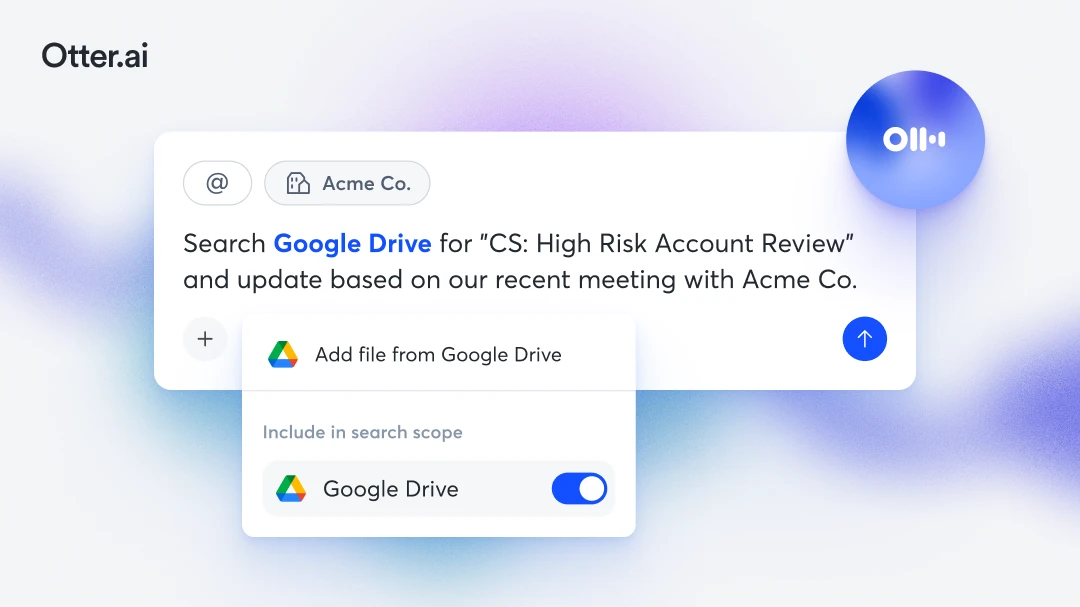
With AI Chat Connectors, Otter can now talk to Google Drive in both directions from within Otter AI Chat.
Pull your drive into Otter. Surface the brief from last week's planning call. Find the proposal a client mentioned during onboarding. Check whether the doc someone committed to updating has actually changed without hunting through folders or asking someone to re-send something that was already shared.
You can also push directly from Otter to your drive. Finish a meeting, ask Otter to create a summary doc based on what was discussed, and have it saved to your drive without opening a new tab. It's built from the actual Otter notes, not a blank template.
Part of something larger
Google Drive is one of a growing set of tools Otter connects to through AI Chat Connectors alongside Gmail, Notion, Jira, Salesforce, and more to come. Meeting knowledge should flow into the tools where work happens. Context from those tools should be available when you need it inside Otter.
That's the Conversational Knowledge Engine in practice.
Getting started
Connect Google Drive through the AI Chat Connectors panel in your Otter workspace.
Related posts