Best Sales Call Transcription Software for 2026



Sales reps often leave a call and still have to update their CRM and write follow-ups from notes they reconstruct afterward. An AI meeting assistant reduces that admin by capturing conversations and turning them into structured output your revenue team can use. The biggest differences show up in CRM integration depth, coaching capabilities, pricing transparency, and post-call workflows, security requirements, and whether a transcript turns into action after the call.
The Short-on-Time Version
- For sales calls, an AI meeting assistant speciically designed for sales captures conversations and creates summaries with action items with some platforms like Otter.ai also identifying speakers and syncing structured insights to CRM.
- The tools are evaluated on transcription accuracy, native CRM integrations with Salesforce and HubSpot, post-call automation, security certifications, and pricing transparency.
- This list compares platforms including for transcription, CRM sync, and post-call automation in one platform.
- Sales workflow tools automate CRM field mapping, follow-up drafts, and live coaching after the call. Those capabilities separate a basic recorder from a sales workflow tool.
What Sales Call Transcription Software Actually Does in a Sales Workflow
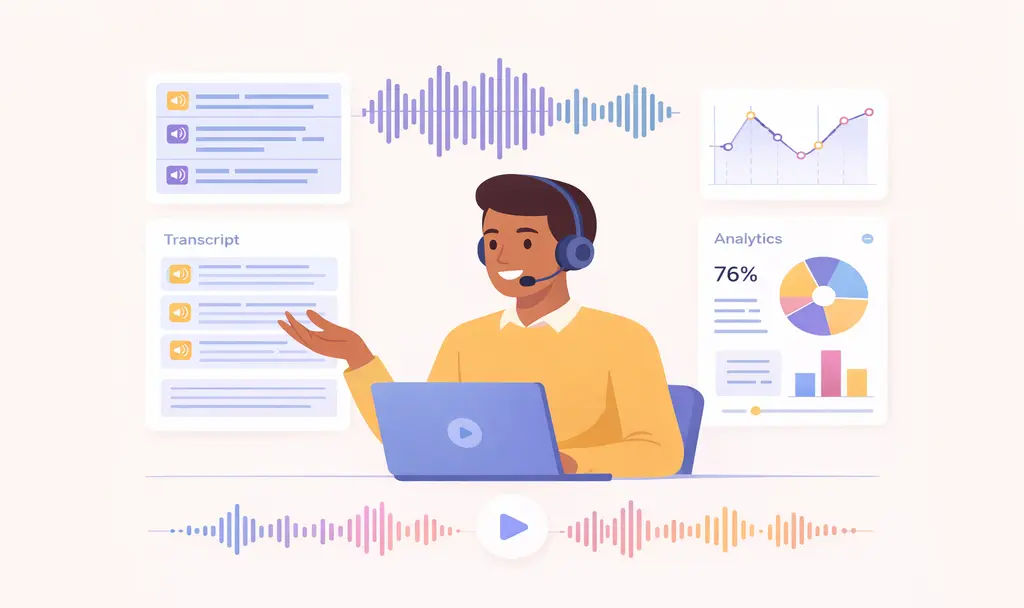
In practice, the workflow starts during the live call. Real-time transcription processes audio as the conversation happens, enabling live coaching and objection flagging while the rep can still respond. Speaker recognition labels who said what. Teams can then track which stakeholder raised an objection, asked about pricing, or showed budget authority on a multi-person deal.
After the call, the transcript becomes a structured output the team can work from. The platform can turn the conversation into a short summary, assign action items to specific people, and draft a follow-up email from what was discussed. From there, CRM sync determines how useful the record is operationally. Summary-level sync posts a recap to the contact record, while field-level mapping writes AI-extracted insights such as deal stage signals, BANT data, competitor mentions, and next steps into designated Salesforce or HubSpot fields.
How We Evaluated the Sales Call Transcription Software on This List
We tested each platform on five criteria: transcription accuracy on live sales calls, native Salesforce and HubSpot integration availability by tier; post-call automation beyond the transcript; SOC 2 Type II, HIPAA with BAA, and GDPR compliance certifications; and pricing transparency including seat economics.
Best Sales Call Transcription Software for 2026 at a Glance
The comprehensive comparison table summarizes each one at a glance across best-fit use case, pricing, key differentiators, and feature/integration depth, and detailed reviews follow in the sections below.
Each platform is reviewed in detail below, with features, pros and cons, pricing, and who it fits best.
Otter.ai
Otter.ai is an AI meeting assistant and conversation intelligence platform that is useful for sales teams who need call recordings to become CRM updates and follow-up-ready deal notes. Otter can join Zoom, Google Meet, and Teams calls through calendar integration. Otter extracts BANT/MEDDIC or custom buying signals, drafts follow-ups, and provides a searchable transcript library for querying past conversations.
Otter combines real-time transcription with speaker recognition, automated summaries, and action items. On the Enterprise plan, Otter adds live coaching, follow-up drafting, and CRM field mapping for Salesforce and HubSpot. The platform also supports searchable transcript history for past deal and customer conversations.
Pros
- Real-time transcription on Zoom, Google Meet, and Microsoft Teams.
- Live coaching, BANT/MEDDIC and custom signal extraction, and follow-up drafting on Enterprise.
- Otter can join Zoom, Google Meet, and Teams calls through calendar integration, or separately and bot-free via desktop app recording.
Cons
- Some sales-related capabilities appear to be limited on lower-tier plans.
- The free plan caps at 300 minutes per month
Pricing
Pricing is structured across four plans:
- Free (300 min/month)
- Pro ($8.33/user/month, annual)
- Business ($19.99/user/month, annual)
- Enterprise (custom)
That pricing gives teams a free starting point and higher tiers for workflow and compliance needs.
Who Is Otter Best For?
Teams that want transcription, CRM sync, and post-call automation in one platform.
Gong
Gong combines meeting capture with conversation analytics, pipeline visibility, and forecasting workflows. Its product pages highlight deal boards, smart trackers, and coaching data for managers. It also supports CRM sync with Salesforce and HubSpot. The platform is positioned around revenue intelligence beyond the transcript itself.
Pros
- Pipeline forecasting, competitive mentions, and deal risk signals in one view
- Bidirectional CRM sync with Salesforce, HubSpot, and Dynamics 365
- Supports integrations with other enterprise tools
Cons
- Missing features, particularly regarding search functionality and recording issues
- Users face call issues with delayed access to recordings, complicating follow-ups and slowing down the sales process
Pricing
Pricing is custom and quote-based. Buyers need to contact sales for current package details.
Who Is Gong Best For?
Enterprise sales orgs focused on revenue intelligence and forecasting.
Chorus by ZoomInfo
Chorus by ZoomInfo combines call recording and conversation intelligence with ZoomInfo's broader GTM data layer. Its product page highlights deal hubs, talk-to-listen metrics, and opportunity-level signal aggregation. It also offers native CRM integrations for Salesforce, HubSpot, and Microsoft Dynamics. For teams already using ZoomInfo, the product sits inside a wider data and prospecting environment.
Pros
- Native bidirectional CRM integration for Salesforce, HubSpot, and Microsoft Dynamics
- Added contact and company context alongside call records
- Talk-to-listen ratio tracking and deal momentum analysis give managers coaching data
Cons
- Difficulties with search and sorting capabilities within recordings
- Integration challenges with the broader ZoomInfo ecosystem and Salesforce API
Pricing
Not published. Bundled within ZoomInfo's platform. Requires a direct quote.
Who Is Chorus Best For?
Sales organizations already using ZoomInfo's data and GTM intelligence platform.
Fireflies.ai
Fireflies centers on meeting capture, multilingual transcription, and searchable meeting history. Its pricing and product materials highlight natural-language meeting search through AskFred and keyword monitoring through topic trackers. It also connects with CRM and productivity tools, including Salesforce, HubSpot, and Pipedrive. The platform is structured as a general AI meeting assistant for teams that need meeting notes across sales and other functions.
Pros
- Pro plan at $10/seat/month annually is competitively priced for transcription and basic CRM logging
- Support for more than 100 languages for multilingual sales teams
Cons
- Users experience navigational difficulties on the Fireflies.ai website and face challenges with meeting invitations and privacy concerns
- Free plan limits storage to 800 minutes per seat
Pricing
Fireflies offers four pricing tiers:
- Free (800 min/seat)
- Pro ($10/seat/month, annual)
- Business ($19/seat/month, annual)
- Enterprise ($39/seat/month, annual)
Who Is Fireflies Best For?
Teams with multilingual call requirements or a broad tool stack.
Fathom
Fathom focuses on recording, transcription, summaries, and clip sharing for individual users and smaller teams. Its pricing page highlights methodology-based notes templates. The product also offers highlight clips to share selected call moments. Compared with broader revenue platforms, the emphasis is on simple meeting capture and post-call notes.
Pros
- Free plan includes unlimited recordings and transcriptions, with AI summaries limited to the first five calls each month
- BANT and Sandler templates on paid plans structure notes around the methodology your team uses
Cons
- Fathom's participation as a meeting attendee tends to complicate reporting and information retrieval
- Glitches occur when reinstating recordings during meetings
Pricing
Fathom's pricing includes one free tier and three paid tiers:
- Free (unlimited recordings)
- Premium ($16/user/month, annual)
- Team ($15/user/month, annual, 2-user minimum)
- Business ($25/user/month, annual, 2-user minimum)
Who Is Fathom Best For?
Individual AEs and small teams looking at a free starting tier and paid upgrades later.
tl;dv
Tl;dv focuses on AI meeting notes, multi-meeting reporting, and security positioning for European teams. Its security materials emphasize EU-hosted data centers and compliance plans. The product also offers AI reports that aggregate patterns across multiple calls. CRM connectivity is available on paid tiers.
Pros
- Free plan includes unlimited recordings with 10 AI meeting notes per month
- SOC 2-certified security and stated EU AI Act compliance plans
- Multi-meeting AI reports aggregate patterns across multiple calls
Cons
- Reviewers list recording issues and accuracy issues among top concerns
- Missing features, particularly the bulk download option and limited auto transcription in the free version
Pricing
Tl;dv offers free, paid, and enterprise tiers:
- Free (unlimited recordings, 10 AI notes/month)
- Pro ($18/user/month, annual)
- Business ($59/user/month, annual)
- Enterprise (custom)
Who Is tl;dv Best For?
Teams with EU data residency requirements or multilingual needs across European markets.
Avoma
Avoma separates its meeting recording product from conversation intelligence and revenue intelligence add-ons. Its pricing structure includes recorder seats for users who host or record meetings, while viewer seats remain free. The platform also includes Ask Avoma for searching past conversations and offers forecasting-oriented capabilities through add-on modules. Avoma's transcription page lists 95% (vendor-stated). That modular structure lets buyers expand functionality over time.
Pros
- Modular pricing lets teams pay only for capabilities they use today
- Ask Avoma AI copilot answers questions about past conversations without replaying recordings
Cons
- AI inaccuracy leads to misinterpretations and missed insights during meetings
- Difficulty in transcribing, especially in noisy environments or with multiple speakers.
Pricing
Avoma uses base pricing plus paid add-ons:
- Startup ($19/seat/month, annual)
- Organization ($39/recorder/month, annual)
- Enterprise ($39/recorder/month, annual)
- Conversation Intelligence and Revenue Intelligence are each $29/seat/month annual add-ons
Who Is Avoma Best For?
Mid-market teams that want transcription first and optional coaching or forecasting layers later.
Why Otter.ai Stands Out for Sales Teams
Otter is a strong fit when your team wants one platform to cover meeting transcription and the work that follows. With more than 1 billion meetings transcribed, it aligns with teams that want searchable transcripts, CRM sync, follow-up drafting, and live coaching in the same workflow.
MRI Software, a real estate software provider serving more than 45,000 clients across more than 170 countries, is a useful example of what that looks like in practice. Their 26-person sales engineering team is responsible for demonstrating 165 products across one-to-two-year sales cycles. They were relying on memory and frantic note-taking to fill out debrief documents after multi-hour on-site demos, which meant key details often got missed. New team members needed hours of onboarding, and late-stage stakeholders regularly had to catch up on months of decisions.
Solutions Architect Dana Cutter wanted an "interconnected knowledge hub," not a note-taking app. After adopting Otter, the team reported $150,000 in annual savings, 20 minutes saved per meeting, and ROI realized within 2.5 weeks of the pilot. Onboarding that previously took hours now takes minutes, and MEDDPICC custom insights are built into every deal.
In practical buying terms, Otter is a direct option for teams that want note capture plus workflow automation in one platform. Its Enterprise tier also supports teams with regulated-industry requirements.
Frequently Asked Questions About Sales Call Transcription Software
What Is the Best Transcription App for Phone Calls?
The best phone call transcription app depends on your device and whether you need real-time recording or file transcription. For most users, TapeACall (iOS/Android) is the top pick for recording phone calls, while Otter is best for meetings and VoIP calls.
Is There an App That Can Transcribe Calls You Dial Into, Including Zoom, Google Meet, and Microsoft Teams?
Yes. Some Android models (like Samsung) have built-in recording, but availability is region-dependent. On iPhone, apps like Rev Call Recorder or TapeACall record by merging a call with a recording line. For VoIP calls (Zoom, Google Meet, Microsoft Teams), apps like Dialpad, Allo, or Otter can record and transcribe in real time. Otter specifically supports all three platforms through Otter. Review each vendor's meeting-platform details during a pilot, including Fireflies.ai and Avoma.
Can I Transcribe a Phone Call?
Yes, you can transcribe a phone call using built-in features on modern smartphones or third-party apps. Note that many jurisdictions require the consent of all parties on the line before recording or transcribing, so review call recording laws and consult qualified legal counsel before implementing a recording policy.
Can Sales Call Transcription Software Sync Directly to Salesforce?
Yes, most platforms sync to Salesforce on paid plans. The comparison table above lists Salesforce integration tiers for each platform.
Related posts