Bot-Free AI Notetakers Compared and Shadow AI Risks to Know




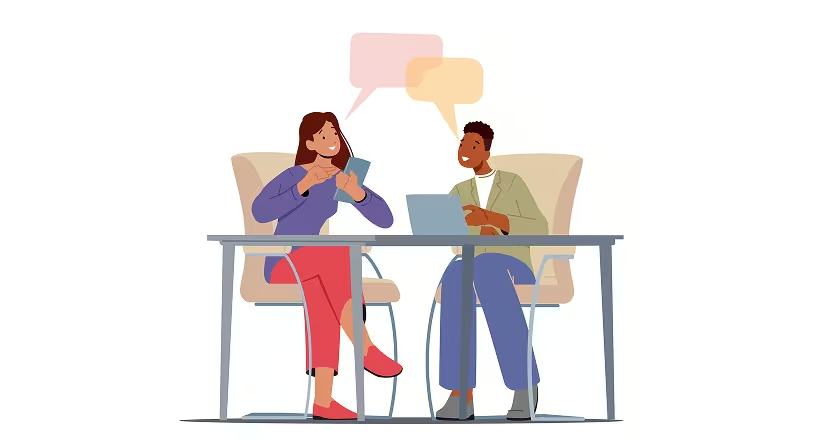
The client joins the call, and a third name appears in the participant list: someone's AI notetaker is waiting to be admitted. The next few minutes go to explaining the tool and checking whether it is recording and whether anyone objects. On a sales call, that's momentum you don't get back.
That friction is why buyers search for a bot-free AI notetaker: a tool that captures the meeting from your device or browser, with nothing joining the call. Invisible capture still leaves disclosure, oversight, and data governance in the hands of hosts and IT.
The Short on Time Version
- Bot-free AI notetakers capture audio from your device or browser instead of joining as a visible participant, so nothing needs to be admitted.
- Invisible capture does not remove the legal obligation to tell participants they're being recorded, since consent laws and General Data Protection Regulation (GDPR) rules apply whether a bot is visible or not.
- Score tools on capture method, cross-platform and in-person coverage, transcription and summary quality, integrations, and governance.
- Prioritize governed bot-free capture with admin controls and retention settings, such as those available from the Otter.ai platform, instead of local-only capture IT cannot audit.
What Is a Bot-Free AI Notetaker and Why Teams Are Adopting Them
A bot-free, or botless, AI notetaker records meeting audio directly from your device or browser instead of joining as a virtual participant. You still get a transcript, summary, and action items without admitting another participant to the call. Capture typically happens through desktop system audio or a browser extension that reads live captions, and hybrid tools can switch between visible and botless modes. Botless capture may still process audio off-device and upload it to vendor servers.
Teams are moving to this model because visible AI bots can feel like surveillance and create friction for sales and client-facing conversations. Platform changes are reinforcing the shift: Google Meet's guest admit flow, rolling out from March 24, 2026, sends unrecognized joiners to a queue where denial is the default, and Microsoft Teams added an admin policy in mid-2026 that detects, labels, and can block third-party recording bots.
Shadow AI Risks and How to Evaluate Bot-Free Notetakers
Shadow AI refers to AI tools running inside an organization without IT's knowledge or approval, and botless notetakers are especially easy to miss because they never appear in the participant list. Meeting lobbies only stop tools that ask to join, so meeting-level admission controls don't affect desktop apps and browser extensions, and IT needs separate controls for both as part of its enterprise security posture.
IBM's 2025 Cost of a Data Breach Report, produced with the Ponemon Institute, found that a high level of shadow AI added an average of $670,000 to breach costs, and its companion findings showed that 97% of organizations with AI-related breaches lacked proper AI access controls.
Disclosure obligations remain even without a visible bot. One-party consent law applies at the US federal level, but states including California, Florida, Illinois, and Washington require everyone’s consent, and Reed Smith's all-party consent guidance advises obtaining everyone's consent if one participant sits in an all-party state. GDPR transparency obligations may apply to European Union (EU) participants even when consent isn't the lawful basis. This is informational, not legal advice.
To keep bot-free capture defensible, score every tool on five criteria before you shortlist:
- Capture method: desktop system audio, browser captions, or a hybrid that can send a visible bot.
- Coverage: Zoom, Google Meet, Microsoft Teams, and in-person meetings.
- Transcription and summary quality: speaker recognition and usable action items.
- Integrations: your Customer Relationship Management (CRM) and task tracker.
- Governance: disclosure options, admin visibility, retention controls, audit trails, System and Organization Controls 2 (SOC 2) Type II, and Health Insurance Portability and Accountability Act (HIPAA) support.
Together these five criteria separate governed enterprise-ready tools from tools built for individual use, and the comparison below turns on that distinction.
Six Bot-Free AI Notetakers Compared
The six tools below span the full range of bot-free capture models, from personal system-audio apps to governed enterprise workspaces. The table summarizes fit, capture, pricing, and HIPAA availability at a glance, and the sections beneath it walk through each tool's strengths, trade-offs, and best-fit use case.
1. Otter.ai
Otter is a Conversation Intelligence platform that gives the option to teams for bot-free capture without losing admin oversight. Live transcripts recognize speakers with high accuracy, and above transcription sits Otter's Conversation Intelligence layer, which turns every meeting into a searchable record of decisions, action items, and context teams can query across their meeting history.
The Otter desktop app for macOS and Windows captures calls without sending a notetaker. Otter's iOS and Android apps add in-person recording, and Otter’s notetaker can be configured to join Zoom, Google Meet, and Microsoft Teams calls visibly when disclosure by presence is preferable.
Otter AI Chat lets teams query their meeting library conversationally. The Otter MCP Server is available on all plans and lets connected AI assistants such as Claude query your meeting data directly. Otter is SOC 2 Type II certified, GDPR and CCPA compliant, and uses AWS AES-256 encryption with two-factor authentication on all plans. Enterprise adds Single Sign-On (SSO) via Okta or Microsoft Entra ID, HIPAA compliance with a signed BAA, and centralized admin controls over MCP.
Pros
- Hybrid capture: supports both visible Otter Notetaker and bot-free desktop capture inside one workspace.
- Admin controls: workspace-level controls let IT apply consistent rules to every user.
- Conversation Intelligence: Otter AI Chat and the Action Items dashboard turn meeting output into searchable, actionable knowledge.
Cons
- Enterprise-only features: HIPAA compliance currently requires an Enterprise plan.
Pricing
Otter's free Basic plan includes 300 minutes per month and caps individual conversations at 30 minutes. Pro costs $8.33 per user per month annually or $16.99 monthly. Business supports conversations up to four hours with 6,000 minutes per month, while Enterprise uses custom pricing for SSO, HIPAA compliance, and the bot-free desktop app.
Who Otter Is For
Teams and regulated organizations that need bot-free discretion plus centralized disclosure, visibility, and retention controls.
2. Fathom
Fathom is for individuals and small teams with a bot and a bot-free Mac desktop app in beta. The beta app can capture Zoom and Google Meet calls. Microsoft Teams is supported too. It connects to Salesforce, HubSpot, and Slack.
Pros
- Free plan scope: unlimited recordings, transcription, and storage.
- Compliance access: a BAA is available.
Cons
- Bot-free limits: bot-free capture is limited to a Mac beta, with Windows listed as coming soon
- Summary limits: the free tier stops advanced AI summaries after the first five calls each month.
Pricing
The free plan includes unlimited recording. Paid options include Premium, Team from $15 per user per month, Business, and custom Enterprise pricing.
Who Fathom Is For
Fathom is designed for individuals and small teams evaluating unlimited free recording within a Mac-only botless beta.
3. Granola
Granola is for personal notetakers with bot-free system-audio capture on macOS, Windows, iOS, and Android. Native integrations connect to HubSpot, Notion, Slack, Attio, and Affinity on Business and above.
Pros
- Cross-platform capture: system-audio capture works across meeting platforms, and the free Basic plan allows unlimited meetings.
- No audio retention: Granola transcribes audio in real time without retaining it afterward.
Cons
- No HIPAA: Granola is not HIPAA compliant and cannot sign BAAs.
- Security history: a 2025 Tenable-disclosed vulnerability involving a hard-coded API key reportedly exposed 333 beta users' private transcripts before the fix.
Pricing
The free Basic plan includes unlimited meetings but limits note history to 30 days. Business costs $14 per user per month, while Enterprise adds SSO and organization-wide admin controls.
Who Granola Is For
Granola is designed for personal note capture outside regulated or centrally governed team contexts.
4. Krisp
Krisp is for professionals on noisy or high-volume calls. It applies noise cancellation to system-audio capture on desktop and mobile, while also supporting in-person notes and an optional bot mode.
Pros
- Noise cancellation: Krisp combines noise cancellation and bot-free notetaking across desktop and mobile calling apps.
- Security posture: SOC 2 Type II and Qualified Security Assessor (QSA)-validated Payment Card Industry Data Security Standard (PCI-DSS), plus zero-day retention options.
Cons
- No free tier: Krisp offers a seven-day trial rather than a perpetual free tier.
- HIPAA gating: Krisp does not make a flat HIPAA certification claim, and BAA availability sits above the Core tier.
Pricing
Krisp's Core plan follows a seven-day trial. Advanced adds Salesforce integration and admin tooling, while Enterprise adds SSO, System for Cross-domain Identity Management (SCIM), and on-device private transcription.
Who Krisp Is For
Krisp is designed for distributed or call-heavy teams using noise cancellation and botless notes.
5. Fellow
Fellow is for teams that want botless capture inside an agenda-and-notes workflow. Its Mac, Windows, iOS, and Android apps support Microsoft Teams, along with Google Meet and Zoom. It connects natively to more than 50 tools, including Salesforce, HubSpot, Notion, Slack, and Jira.
Pros
- Consistent retention rules: the same retention and access rules apply to botless and bot-based captures.
- Compliance and retention options: BAA available, SOC 2 Type II, and independent zero-day retention for recordings and transcripts.
Cons
- Restrictive free plan: the free plan caps each account at five AI notes and five AI recordings for its lifetime.
- Enterprise-gated controls: advanced recording permissions, domain control, and transcript redaction require Enterprise.
Pricing
The free plan supports up to 10 users with lifetime-capped AI notes and recordings. Team costs $7 per user per month when billed annually, or $11 per user per month when billed monthly. Business includes unlimited notes and real-time recordings and transcriptions, while Enterprise adds provisioning and organization-wide analytics.
Who Fellow Is For
Fellow is designed for teams using botless capture within a governed meeting-management workflow.
6. Tactiq
Tactiq is for teams holding meetings entirely in Chrome. It reads Google Meet's live captions. The extension also reads captions in the browser versions of Zoom and Microsoft Teams. It connects natively to Notion, Slack, HubSpot, and Salesforce.
Pros
- Invisible capture: browser-caption capture keeps the AI notetaker out of the participant list.
- Security credentials: SOC 2 Type II and International Organization for Standardization (ISO) 27001.
Cons
- Caption dependency: transcription requires browser meetings with captions turned on, while lower-tier AI summaries use monthly credits.
- Unclear HIPAA scope: Tactiq states that it supports HIPAA compliance but does not identify which plans include a BAA.
Pricing
The free plan includes 10 transcripts per month. Pro costs $8 per user per month, while Team and Business offer unlimited transcripts; Business includes Security Assertion Markup Language (SAML) SSO and advanced retention.
Who Tactiq Is For
Tactiq is designed for lightweight Chrome-extension capture in meetings held entirely in the browser.
Which Bot-Free AI Notetaker Is Right for Your Team
Each tool addresses a different capture model. The right choice depends on where meetings happen and what data they contain, along with who remains accountable. Individuals may prioritize simplicity. Teams and regulated organizations need retention rules as well as clear admin visibility and disclosure controls.
Otter, as a Conversation Intelligence platform, supports visible Otter Notetaker and bot-free desktop capture inside one governed workspace. Enterprise admins can centralize SSO, HIPAA compliance, and MCP controls while preserving searchable meeting context through Otter AI Chat and its Conversation Intelligence layer.
The Stax case study found that employees had created personal Otter accounts and that confidential client information was distributed across them without centralized oversight. After the consulting firm moved to Otter Enterprise, IT centralized subscriptions and data in a governed repository.
Whichever tool you choose, disclose the recording, keep IT involved, and select controls you can audit. Try Otter free on your next meeting, or schedule a demo to see governed bot-free capture on your own calls.
Frequently Asked Questions About Bot-Free AI Notetakers
Do Bot-Free AI Notetakers Join Meetings?
Otter can capture meetings without joining as a visible participant through its desktop app, while other bot-free tools use system audio or browser captions. Nothing needs to be admitted, although participants still need appropriate recording disclosure.
Are Bot-Free AI Notetakers Legal?
Otter supports disclosure and governance controls, but bot-free capture remains subject to applicable consent and transparency requirements. US rules vary between one-party and all-party consent, and GDPR may add obligations for EU participants. This is informational, not legal advice.
How Do Bot-Free AI Notetakers Capture Meeting Audio?
Bot-free tools generally use one of two capture methods. Device-level or system-audio capture records what plays through your speakers and microphone, which works across any meeting platform because it captures device audio rather than meeting data. Browser-caption capture reads the live captions the meeting platform already generates in the tab. In both cases, no participant is added to the call.
Can Bot-Free AI Notetakers Record In-Person Meetings?
Some tools can record in-person meetings, while others cannot. Tools that capture from the device microphone, such as Otter's mobile apps and Krisp, can record in-person conversations, while browser-caption tools like Tactiq cannot because there is no caption stream to read outside a virtual meeting. Accuracy depends on device placement, acoustics, and whether speakers introduce themselves so the tool can attribute quotes correctly.
Is Bot-Free the Same as Offline or On-Device Processing?
Bot-free describes how audio is captured, meaning no participant bot joins the call. On-device or local processing describes where the audio is transcribed and summarized. Many bot-free tools still upload audio or transcripts to vendor servers for processing. Teams handling sensitive data can confirm the processing location and retention settings separately from the capture method.
Related posts