How to Effectively Manage Action Items

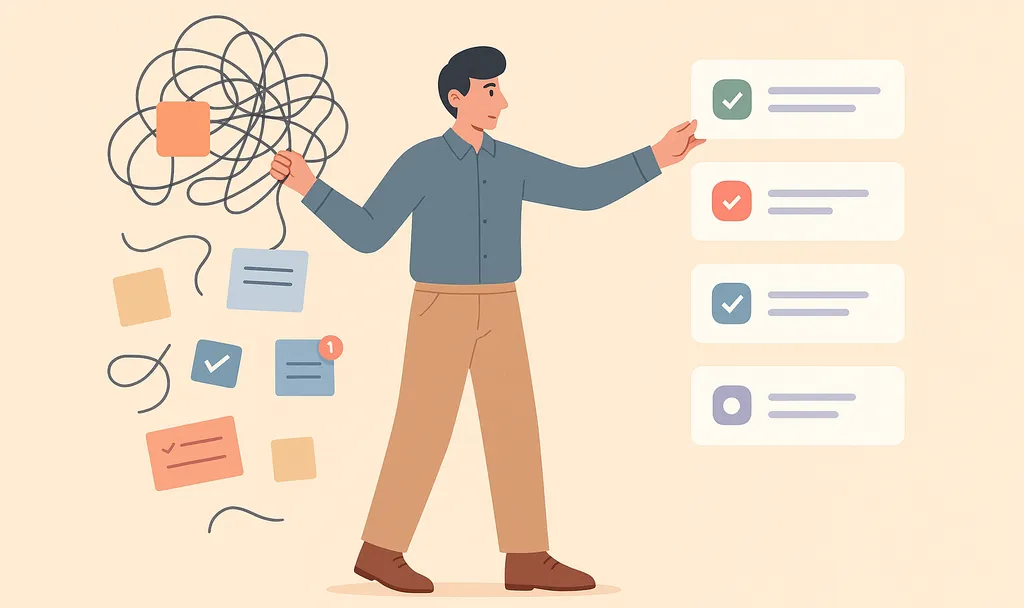


Every meeting ends with a handful things someone promises to do before the next sync. But between the closing "thanks, everyone" and Monday morning, those commitments have a way of quietly evaporating. Research shows meetings are ineffective 72% of the time, with unclear next steps a leading reason they fall short.
Action item management turns spoken commitments into tracked tasks, each with one owner, one deadline, and one place they live. That way the work discussed in the room actually gets done before the next meeting starts.
The Short on Time Version
- An action item is only actionable when the sentence says what to do, why, who owns it, when it's due, and how completion gets verified.
- Action items assigned to "the team" tend to stall because responsibility diffuses across the room, so every action item needs exactly one name on it.
- Capture action items during the meeting and confirm the owner and deadline out loud, or let Otter’s AI notetaker log them live.
- Send a recap within 24 hours, keep every open action item in one shared place, and start each recurring meeting by reviewing what's still outstanding.
The Four Steps to Effective Action Item Management
Action items usually fail at predictable points: fuzzy wording, shared ownership, missed capture, or no follow-through. Tightening each of those four points is what separates teams whose commitments close out from teams whose backlogs keep growing.
Step 1: Write Action Items That Can't Be Misread
Write each action item so someone reading it later can act without asking for clarification. Every task opens with an action verb and ends with something you can point to as "done." A budget task example makes the gap plain: "Follow up on a budget" leaves the reader guessing, while "Schedule a budget review meeting with the finance team to secure Q2 marketing spend approval" spells out exactly what finished looks like. Verb-plus-deliverable framing is the difference between a note and a task.
Beyond the verb and the deliverable, say which decision produced the task, who is waiting on it, and what the finished output needs to include. One sentence of that keeps whoever picks it up from delivering something the group has already moved past, or spending time chasing down background the meeting already covered.
Step 2: Assign One Owner and a Realistic Deadline
A clearly written task still stalls without a named person and a date they've agreed to. Research on diffusion of responsibility supports single ownership, while work on the planning fallacy and mere urgency effect supports owner-chosen dates and explicit priorities.
Put one name on every item. Research on diffusion of responsibility finds that people feel less responsible for the outcomes of their actions when they act as part of a group than when they act individually, which is exactly the dynamic that lets shared tasks slip.
Group-assigned tasks diffuse accountability across the room. No one owns it. Give one person primary responsibility even when others contribute, so there's a single point of contact for updates.
Then let the owner suggest the due date and negotiate it if needed. A date the owner has actually thought about beats one imposed from the front of the room, because we underestimate how long our own work will take (the planning fallacy). The mere urgency effect leads people to choose urgent tasks with short windows over important tasks with larger outcomes, so an explicit priority label keeps owners from drifting toward whatever is due soonest.
Step 3: Capture Action Items During the Meeting
Writing and assigning well only helps if the task gets recorded before memory intervenes. A replication of the classic forgetting curve confirms that people lose roughly half of newly learned information within about an hour, so capture has to happen live. When someone says "I'll have it by Friday," pause, repeat the commitment back to the owner, and confirm the date out loud before the conversation moves on.
Explicit language pays off twice. Spoken assignments are easier for people to recall and easier for automated capture tools to detect. Saying the owner and deadline aloud strengthens both channels at once.
Otter.ai is a conversation intelligence platform that uses live transcription to capture what was said and organize it into summaries and decisions. Key capabilities include:
- Searchable record: Every meeting becomes a searchable conversation record with a summary of decisions and action items.
- Action items: During the call, action items are identified and tracked, complete with assigned owners and deadlines.
- Uploads: Otter processes uploaded audio and video in 30+ formats, including MP3, MP4, and WAV.
Together, these capabilities take the burden of capture off the participants so the conversation stays focused on the work itself.
Sales teams that run high volumes of Zoom demos and discovery calls often struggle with manual notes, from misplaced files to slower deal timelines. Otter replaces that process with searchable storage and transcription of recordings, and transcript tags let the team flag action items and share context with colleagues, so reps can shift their attention from documentation back to selling.
Aiden Technologies, an IT cybersecurity company, replaced manual note-taking with Otter across its Zoom-heavy sales process. The result: reps got 33% of their time back to focus on prospects instead of documentation.
Step 4: Follow Up Before the Next Meeting Starts
Capture gets the commitment on the record; what happens in the days after determines whether it gets done. People use the recap to guide their work. Send it within 24 hours, while details are fresh, to support completion. List each action item as its own bullet with the assignee and deadline. An action item template gives that recap a consistent shape so nobody has to reinvent it each week.
Beyond the recap, consolidate open items from email, notebooks, and chat threads in a single shared location. Teams that prefer to build the artifact themselves can keep a simple tracker in a shared doc or spreadsheet.
Otter's Action Items dashboard consolidates commitments from every meeting into one list, whether on Zoom, Google Meet, Microsoft Teams, or in person via its desktop or mobile app. It sends weekly reminders of anything outstanding and links each item back to its point in the transcript.
Through Otter's Model Context Protocol (MCP) server, available on every plan, Claude or ChatGPT can securely pull what's still open straight from Otter. The connection is bidirectional, meaning data flows both ways: Otter feeds meeting context into your AI assistant, and the assistant can push updates, new tasks, or status changes back into Otter and the tools it's connected to.
On top of that, 30+ native integrations move items into Jira, Asana, Salesforce, HubSpot, Slack, and Notion. That's conversation intelligence in practice.
Effective teams also set aside a structured five minutes at the start of every recurring sync to review the previous session's tasks. Track which items get done and aim for an 85% completion rate. If your review keeps landing below that, adjust the process before questioning the people. A quick mid-cycle check-in between meetings catches stalled items before they become next week's agenda.
Try Otter on Your Next Recurring Meeting
Strong action item management comes down to a handful of habits repeated meeting after meeting. Write each task with a verb and a deliverable so the owner knows exactly what finished looks like. Put one name and a negotiated date on every item, then confirm both out loud before the conversation moves on.
Send a recap within 24 hours, keep everything in one shared list, and open each recurring meeting by reviewing what's still open. Otter handles the capture and tracking side automatically. Try Otter free to see action items for your next meeting, or get a demo to see how it fits into your team's workflow.
Frequently Asked Questions About Action Item Management
What Is an Action Item?
An action item is a discrete, clearly defined task assigned to one person during a meeting, with a deadline and enough context to be completed without follow-up questions. It's more specific than a general to-do: it names what needs to happen, who owns it, and by when. Good action items are what turn a discussion into actual progress.
What Makes an Action Item Effective?
An effective action item has five elements: a clear, specific description; context for why it matters; a realistic due date; a single named owner; and a follow-up method so completion is verified. Clarity and single ownership are central. Missing any of these tends to turn the task into a vague suggestion that never gets done.
How Do You Keep Action Items From Slipping After the Meeting?
Capture each one the moment it's agreed, assign a single owner and deadline, and store them all in one place everyone can see. Then build a review habit: start each meeting by checking the previous action items, and do a quick mid-cycle check-in. A common failure is relying on memory instead of a shared, tracked record.
Should You Use a Tool for Action Item Management?
For a small number of tasks, a shared doc or spreadsheet works. As meetings and teams grow, a tool that captures tasks with their assignees and sends reminders saves real time and prevents things from slipping. Otter’s AI notetaker identifies action items during the meeting, captures the assignees and deadlines stated during the meeting, and consolidates them across all your meetings with automatic reminders.
What's the Best Way to Track Action Items Across Multiple Meetings?
Bring every action item into one consolidated view. Otter's Action Items dashboard does this automatically: it aggregates commitments from every meeting into a single list, links AI-generated action items back to the point in the transcript where they were created, and sends a weekly reminder of what's outstanding. You can also pull that list into Claude or ChatGPT through Otter's MCP server. The connection is available on every plan and bidirectional, so the assistant can both read from Otter and push updates back. You can also export items into your project tool through Otter's native integrations, so tracking lives wherever your team already works.
Related posts