8 Ways Sales Teams Can Delegate CRM Admin Tasks

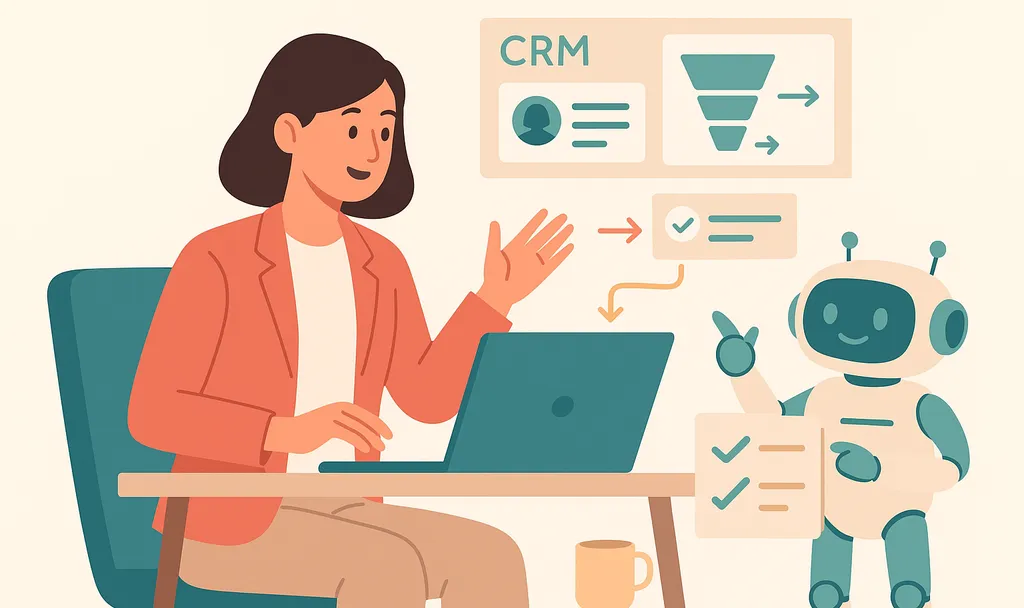


Every hour a sales rep spends logging calls, updating deal fields, drafting follow-ups, and building pipeline reports is an hour not spent with a buyer. That CRM admin adds up across a week, and most of it doesn't need to sit with the rep in the first place.
Reps spend roughly 30% of their week actually selling. The other 70% goes to administrative work, data entry, internal meetings, and prep, and the CRM sits at the center of most of it. That's the slice worth reclaiming.
The work can go in three directions: to people, a virtual assistant or sales ops, or to automation that reduces manual entry to review and exception handling.
The Short on Time Version
- CRM admin reduces the time reps have available for conversations with buyers.
- CRM admin can be delegated to people, like virtual assistants and sales ops, or to automation, and substantial gains come from automating capture so less manual work remains.
- An AI notetaker and Conversational Intelligence Platform like Otter.ai captures sales calls and makes them available across the tools reps already use, including Claude and ChatGPT via MCP, plus Salesforce and HubSpot.
- Automate repetitive, rules-based work and delegate judgment-based work to a person.
8 Ways to Delegate CRM Admin Tasks
Delegation works best when it starts with the tasks that repeat most often, since those compound into the biggest weekly time savings. Post-call documentation is usually the largest single drain, so anything that captures a call at the source, rather than reconstructing it later, tends to return time faster than any other change.
1. Delegate Data Entry and CRM Hygiene to a Sales Assistant
Cleanup, deduplication, and enrichment involve judgment calls, so they fit a virtual assistant or sales admin rather than a workflow. The work also recurs as people change jobs, phones, and email addresses, so it never really finishes.
Delegate it with guardrails. A practical onboarding sequence is to give the assistant a document covering your CRM setup and cleanup rules, then have them add or edit a small batch of contacts and check accuracy before going live. Keep merge decisions on ambiguous duplicates behind an approval step, and review the first few weeks of work together to calibrate.
2. Automate Call Logging and Notetaking
Post-call documentation is a practical place to start because it’s requiredafter every meeting. The task breaks down because the record of the call lives in the rep's head until someone types it in.
Capturing the call at the source removes most of the task instead of reassigning it. More than just an AI notetaker, Otter.ai adds a layer of Conversation Intelligence, a searchable record of decisions, action items, and context across every meeting. Meeting templates define what to pull, so the same call can produce whichever fields matter to your process rather than a fixed methodology.
Through Otter's MCP server, that intelligence is available inside Claude and ChatGPT, and syncs into Salesforce and HubSpot with custom field mapping.
Otter AI Chat lets a rep ask a question across their meeting history, like what a customer said about pricing last week, and returns the answer with a timestamp and speaker attribution, no searching through recordings required. Otter can be configured to join the Zoom, Google Meet, and Microsoft Teams calls you choose, or handle ad-hoc recording through the mobile and desktop apps.
Aiden Technologies, an IT cybersecurity company running high-volume Zoom demos and discovery calls, replaced manual notetaking with Otter's real-time transcription and search. Sales-team efficiency increased by 33%, and reps shifted their attention from documentation to selling. Otter’s guide to post-call automation explains the full workflow, including custom field mapping and plan-tier details.
3. Hand Off List Building and Lead Research
List building becomes easier to delegate once the ideal customer profile is written down. Define industry, job title, geography, and company size before research starts so the assistant is not guessing at criteria.
For larger contact lists, route volume work to enrichment tools and give a VA the parts that need a human read, including pre-screening against your criteria and segmenting lists. Have the VA fill missing CRM fields as part of the same review so research and hygiene happen in one pass.
4. Route Scheduling and Calendar Coordination to a Booking Tool
A rep offers two windows, the prospect misses both, and two days evaporate. One option is to use a booking tool like Calendly for automated scheduling: connect to the rep's calendar, let prospects pick a time, and coordinate confirmations and time zones automatically.
Keep a human coordinating only where judgment matters, such as multi-stakeholder meetings or an executive's calendar. For everything else, the round-trip emails disappear and the rep sees the meeting on their calendar without touching it.
5. Offload Follow-Up Email Drafting
Follow-up drafting is one of the biggest time drains between meetings. Reps already spend at least 11 hours a week on research and follow-up, and writing each email from scratch stretches that number further.
Templates handle standard touches, and AI handles the rest.Otter drafts follow-up emails from the actual meeting transcript, ready for the rep to review and send before the next meeting starts (an Enterprise plan feature), so the draft reflects what the buyer actually said rather than a generic recap.
6. Delegate Reporting and Pipeline Updates to Sales Ops
Have sales ops own recurring reports and forecast prep instead of assigning them to reps. Reps are closest to deal context but furthest from clean aggregate views, and asking them to build both is where hours quietly disappear.
Reps keep updating deal stages, close dates, amounts, and next steps; ops owns pipeline and forecast reporting, dashboards, and data reconciliation. The split keeps the rep responsible for what only they know and moves everything else off their plate.
7. Let CRM Workflows Handle Task Creation and Reminders
Use configured CRM workflows for rules-based follow-up tasks. Define triggers and due dates around deal creation, stage changes, closes, or idle periods, then assign task owners so nothing sits unclaimed.
Build these workflows once and reminders no longer depend solely on anyone's memory. Review them quarterly to prune tasks that no longer fit the sales motion, since stale automation creates its own noise.
8. Decide What to Delegate vs. Automate
Decide first whether to automate or delegate each task, then eliminate unnecessary work. Send repetitive, rules-based work to automation, assign work that needs human judgment but not the rep specifically to a person, and cut work that does not need to happen.
Overall, about a third of tasks can be automated. People can handle ambiguous merges and relationship-sensitive follow-ups. Research quality checks also stay with them. Call logging, one of the highest-volume tasks, goes to automation first.
Why Delegating CRM Admin Pays Off
CRM admin tasks keep the system usable but never reach a buyer. Reps spend roughly 30% of their week on actual selling, with the remaining 70% going to administrative work, data entry, internal meetings, and prep. The tasks that pile up most:
- Logging what happened on the call: notes, next steps, and deal context typed in after the fact.
- Updating deal fields: stages, close dates, amounts, and contacts kept current across the pipeline.
- Cleaning the database: duplicate contacts, stale accounts, and missing fields that need a human read.
- Reporting: weekly pipeline pulls, forecast prep, and dashboards built off whatever data is in the CRM.
Accuracy is the other cost. Reps reconstruct calls from memory hours or days later, and the CRM gets a paraphrase of what happened, if it gets anything. The same Salesforce survey found only 35% of sales professionals completely trust the accuracy of their organization's data, which then undermines the forecasts, handoffs, and pipeline reviews built on top of it.
Delegation addresses both problems. An AI notetaker removes repetitive work and captures the underlying data more accurately than memory allows; people handle the parts that need judgment. McKinsey (2023) finds top-performing sales organizations, which invest in automation and analytics to redirect time to high-value accounts, increase revenue per sales FTE by 3 to 15 percent, and a workflow like post-call automation is where most of that recovered time lands.
Try Otter on Your Team's Next Sales Call
A strong form of delegation removes most of the task at the source. When the call itself produces the notes and the CRM fields, the same process can produce the follow-up draft. The remaining work is largely review and exception handling.
More than just an AI notetaker, Otter is a Conversational Intelligence Platform that builds a searchable record of deal context across every meeting your team captures, with 30+ integrations including Claude and ChatGPT via MCP, plus Salesforce, HubSpot, Slack, Notion, and Jira.
Try it free or Get a demo to see what a week without post-call data entry looks like.
Frequently Asked Questions About Delegating CRM Admin Tasks
What CRM Admin Tasks Can a Sales Team Delegate?
Commonly delegated tasks include data entry and CRM cleanup, call logging and notetaking, list building and lead research, meeting scheduling, follow-up email drafting, and recurring pipeline reports. Some can be handed to a person, like a virtual assistant or sales ops; others can be automated so they require less manual work. Keep reps in front of buyers instead of in the CRM.
When to Delegate CRM Admin to a Person vs. Automate It
Automate repetitive, rules-based work (logging calls, updating fields, sending reminders) and delegate judgment-based work (data cleanup decisions, research quality checks) to a person. Automating high-volume tasks first can free substantial time. Many teams do both: automation for capture, a sales assistant for the rest.
How Much Time Do Sales Reps Lose to CRM Admin?
CRM entry, follow-ups, and internal updates all reduce the time reps have available for selling. Manual entry can also hurt data quality, which then undermines forecasts and handoffs. Cutting that admin is a direct way to improve both selling time and CRM accuracy.
How Do You Delegate CRM Data Entry Without Hurting Data Quality?
Standardize what "good" looks like. Use required fields and naming conventions to reduce incomplete records, then apply CRM validation rules. Then capture data from an accurate record of the call rather than relying on end-of-day memory. Entry can rely on that record rather than a reconstruction, whether it is owned by a person or automation.
Can AI Handle CRM Admin Tasks for a Sales Team?
Yes, for a growing share of it. AI can capture calls, extract any custom insight that belongs in the CRM, draft follow-ups, and sync structured fields automatically, which can reduce manual entry to review and exception handling. Otter's AI notetaker can be configured to join the calls you choose, then makes that intelligence available through Claude and ChatGPT via MCP, plus Salesforce and HubSpot, with insight sync to custom CRM fields on Enterprise.
What's the Best Tool to Eliminate Post-Call CRM Admin?
Otter is a strong fit for a major admin drain: the notes and CRM updates after every call. It can be configured to join the Zoom, Google Meet, and Microsoft Teams calls you choose, transcribe clear audio with 95%+ accuracy, and extract any custom insight your team defines. Through MCP it connects to Claude and ChatGPT, and it syncs into Salesforce and HubSpot with custom field mapping on Enterprise, so what happens on the call turns into structured data with less manual typing.
Related posts