Hundreds of teams trust Otter, including:








Video Summaries, Made Simple
Recorded meetings, lectures, webinars, interviews, training videos: if you need the point without the runtime, Otter gets you there.

Three ways to summarize a video
You can summarize a video in a few ways. The right one depends on how long the video is and how much detail you need.
The most thorough method, and the slowest. You’ll spend at least the full runtime of the video, plus time writing.

If a transcript exists, you can read it in a fraction of the time. It still takes effort to pick out the important parts.

AI transcribes the video and writes the summary for you in minutes. Give it a quick check, especially for anything technical, and you’re done.
Features & Benefits
Get summaries for every kind of video, from hour-long lectures to weekly team meetings.
- Get the point, not the runtime
Otter condenses long videos into a short summary with the main takeaways up top, so you know in seconds whether to dig deeper.
- Jump to the moments that matter
Click any word or timestamp in the transcript to jump to that moment in the audio, without scrubbing through the video.
- Ask questions about your video
Use Otter AI Chat to ask what was decided, who said what, or what comes next.

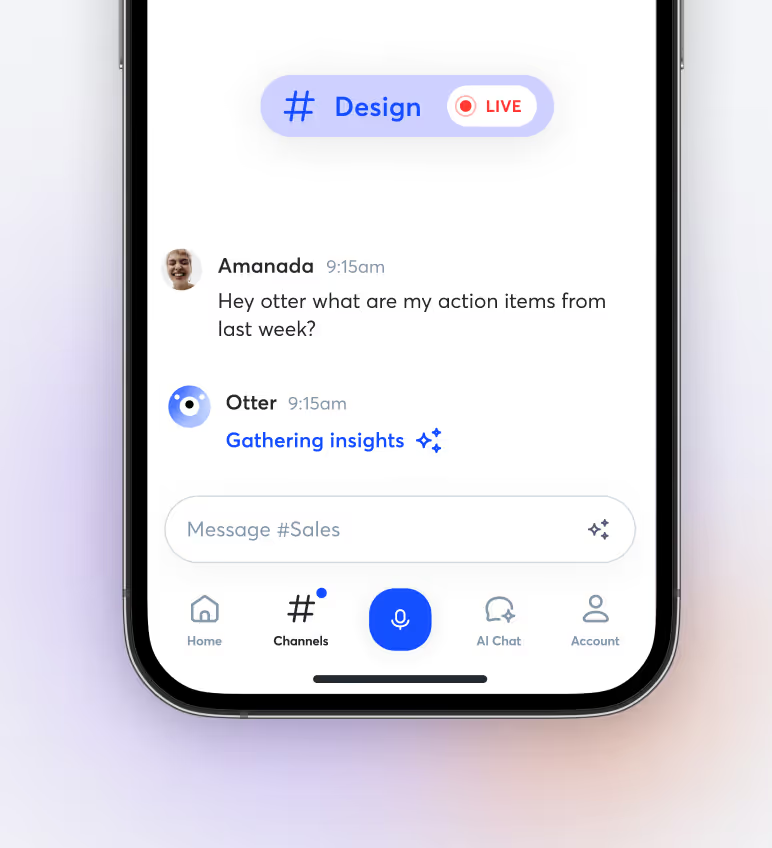

- Pull out action items
Otter can surface tasks and decisions from your video so nothing gets lost.
- Works with the videos you already have
Upload recordings from meetings, classes, or your phone. There’s nothing to convert first.
- Start free
Try Otter at no cost and see the results for yourself. The Basic plan includes 3 lifetime file imports and 20 AI Chat questions a month. When you need more, Pro gives you 10 imports a month, files up to 90 minutes, and PDF, DOCX, and SRT export.


Frequently Asked Questions (FAQs)
The easiest way is to use an AI tool like Otter. Upload your video, and it transcribes the audio and writes a summary in minutes.
Summaries are most reliable on videos with clear speech and a focused topic. Review the summary for anything you plan to act on.
Yes. The Basic plan is free and includes 3 lifetime file imports and 300 transcription minutes a month, with up to 30 minutes per file. Paid plans add more imports, longer files, and PDF, DOCX, and SRT export.
You can upload AAC, MP3, M4A, WAV, WMA, and video files such as MP4.
Not from a link. If you have the video file and the rights to use it, upload it here, or record it through the Otter desktop app. For more on YouTube transcripts, see Otter’s YouTube transcript generator (https://otter.ai/youtube-transcript-generator).
Otter builds summaries from spoken audio, so videos without speech won’t produce useful results.
A 30-minute video takes about 5 to 7 minutes to transcribe once it has uploaded, which is faster than real time. Longer videos take longer.
Otter is SOC 2 Type 2 compliant and uses industry-standard encryption, including TLS. Your conversations are private by default and only accessible by you unless you choose to share them.

Download

