Hundreds of teams trust Otter, including:







Turn Your Audio into Meaningful Notes
Lectures, meetings, interviews, voice memos, brainstorms: record it once and let Otter take the notes.

Why Audio Summaries Outperform Live Note Taking
Taking notes in the moment means splitting your attention between listening and writing. You miss a point while finishing a sentence, or you stop engaging with the conversation to keep up. Capturing the audio and generating notes afterward lets you stay present during the lecture, meeting, or interview. You can still catch everything later.
Features & Benefits
- Notes without the typing
Stop pausing and rewinding. Otter captures what was said and turns it into notes in minutes.
- Summaries and key points up front
Start with a short summary and the main takeaways, then dive into the full transcript when you need the detail.
- Action items, pulled out for you
Otter can surface tasks, decisions, and follow-ups so nothing slips through.
- Know who said what
Otter detects different speakers and labels them, so notes from conversations stay clear.


- Search everything
Your notes and the full transcript are searchable. Find a name, a number, or a quote in seconds.
- Ask your recording questions
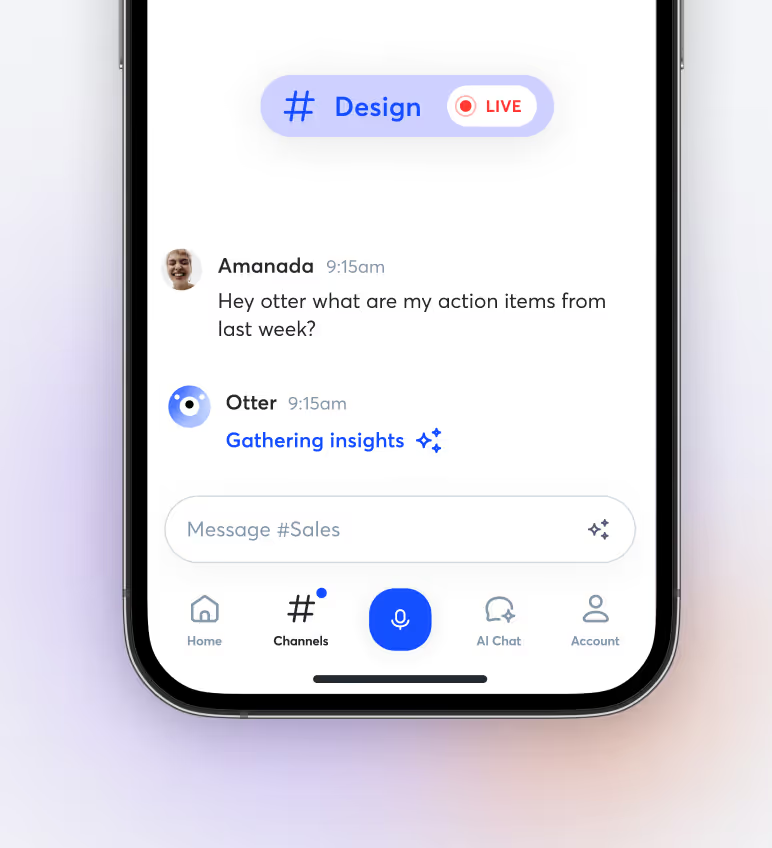
Use Otter AI Chat to ask what was decided or what a speaker said about a topic.
- Start free
Try Otter at no cost and see the results for yourself. The Basic plan includes 3 lifetime file imports and 20 AI Chat questions a month. When you need more, Pro gives you 10 imports a month, files up to 90 minutes, and PDF, DOCX, and SRT export.


Frequently Asked Questions (FAQs)
Upload your recording to an AI tool like Otter. It transcribes the audio and organizes it into notes with a summary and key points.
Accuracy is highest on clear audio with little background noise. Review the notes for anything important, and check names and numbers.
Yes. The Basic plan is free and includes 3 lifetime file imports and 300 transcription minutes a month, with up to 30 minutes per file. Paid plans add more imports, longer files, and PDF, DOCX, and SRT export.
You can upload AAC, MP3, M4A, WAV, and WMA, as well as video files such as MP4.
A transcript is a word-for-word record of the audio. Notes are a shorter, organized version that keeps the key points. Otter gives you both.
Yes. Otter works for lectures, meetings, interviews, and voice memos.
A 30-minute file takes about 5 to 7 minutes to transcribe once it has uploaded, which is faster than real time. Longer recordings take longer.
Otter is SOC 2 Type 2 compliant and uses industry-standard encryption, including TLS. Your conversations are private by default and only accessible by you unless you choose to share them.

Download

